Collection:
Fun Apps
Festivitas
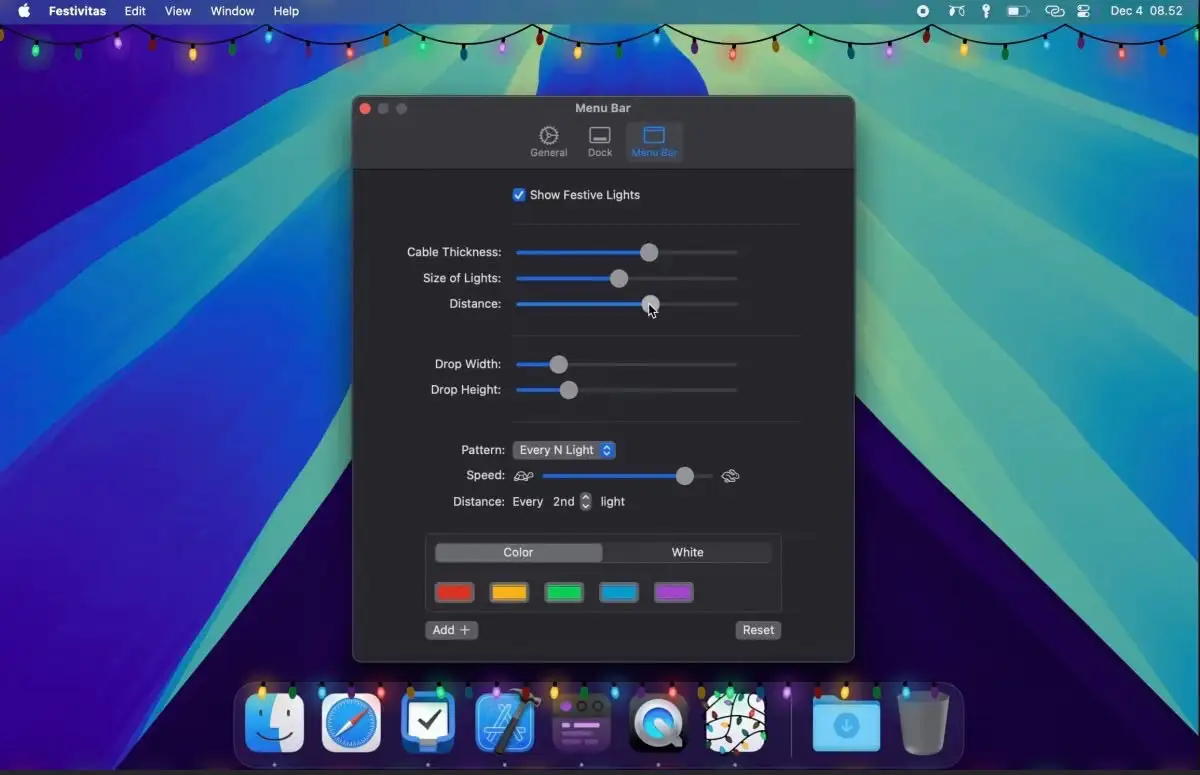
Festivitas hangs festive lights on your Dock and menu bar that sparkle and react to your mouse, with optional falling snow.

Some apps are worth paying for. These premium menu bar tools deliver serious value.
Some apps are worth paying for. These premium menu bar tools deliver serious value.
Festivitas hangs festive lights on your Dock and menu bar that sparkle and react to your mouse, with optional falling snow.

Wifilicious shows what’s going on with your Wi-Fi: signal strength, noise, link rate and channel, plus honest speed tests and a history of your connection. On macOS 26 you can also ask Apple Intelligence questions about your network.

Mactop shows your CPU usage, core count and memory consumption in your menu bar, along with a list of the processes using the most resources.

This menu bar app is a lightweight solution for tracking small tasks throughout your workday. It works offline, and doesn’t collect any user data.

Sportsbar is a menu bar app to track live scores, fixtures and standings on various major football leagues.

This menu bar app is designed for color management, enabling you to create, edit, and optimize ICC color profiles for precise color reproduction.

This menu bar app lets you dim the brightness of all your screens without compromising color accuracy.

This menu bar app displays up to 8 different time zones simultaneously. Features include day/night indication, sunrise/sunset times, and a clean, minimal interface.

This menu bar app shows all mounted volumes along with the available free space on each. If you only want to monitor a particular volume, you can choose to have that volume’s free space displayed right in the menu bar.
