Keep your menu bar calm and under control. Hide, reveal, group, space, recolor, restyle, or reorganize menu bar icons, tame the notch, add custom text or badges, and build a cleaner, more intentional top bar that fits how you work.
Show me the free apps only

Menu Bar Dock places the apps you currently have open onto your menu bar. Now you have freed up all that space at the bottom of your screen!
You can change the number of apps shown, icon size and spacing, and sorting order in the app’s preferences.
Visit

Hidden Bar lets you hide your menu bar items. You can even configure the auto-hide time.
Visit Watch

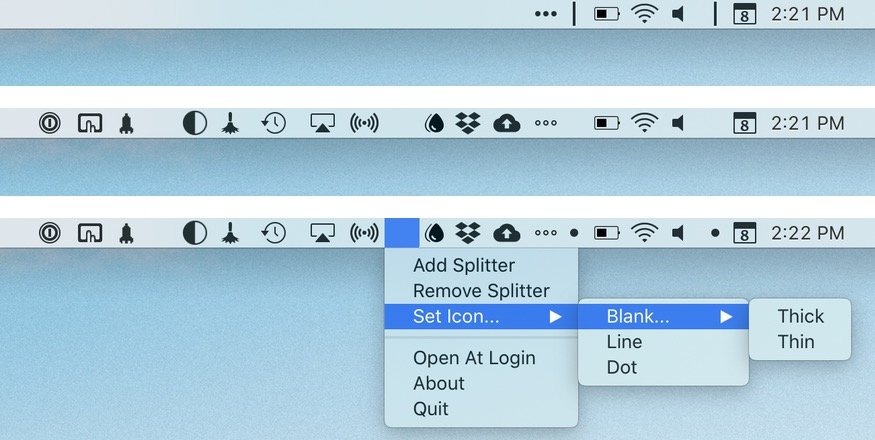
Menu Bar Splitter helps keeping your menu bar organized by using dividers, the same way you can with the dock. It also includes a Bartender compatibility version.
Visit

AccessMenuBarApps removes the problem of viewing menu bar icons on laptop displays. This utility allows you to expand your menu bar when you need it.
Visit

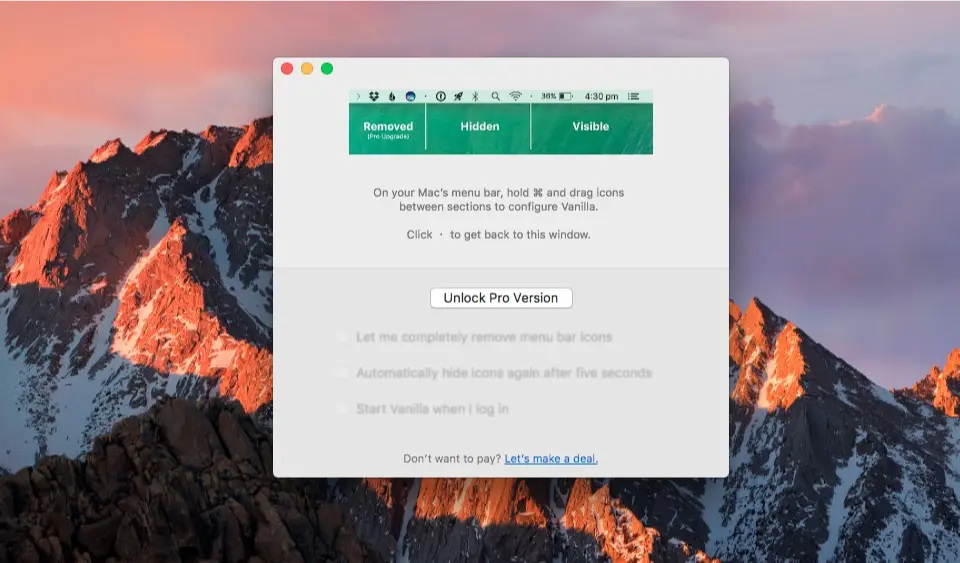
Vanilla is a free Mac app that lets you hide menu bar icons, keeping your menu bar clean and clutter-free while maintaining quick access when needed.
Visit Watch
End of content
End of content