Collection:
Menu Bar Managers
Lickable

Lickable brings back the classic menu bars from previous macOS versions, offering a nostalgic and (for some) visually appealing interface.
The next time a site asks for a code, you’ll just tap it in. iPhone · iPad · Mac

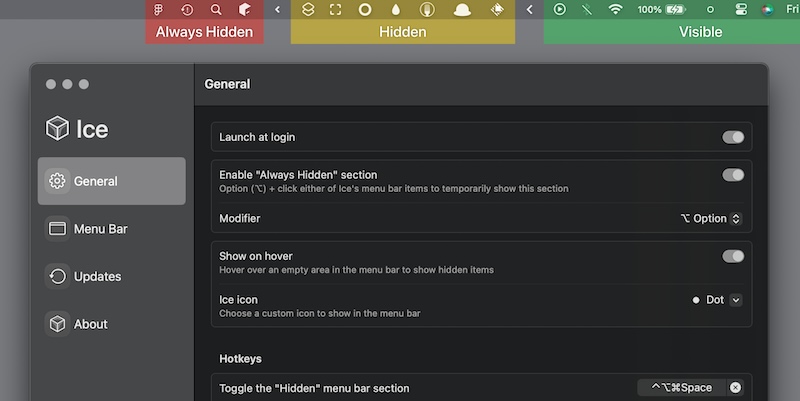
Keep your menu bar calm and under control. Hide, reveal, group, space, recolor, restyle, or reorganize menu bar icons, tame the notch, add custom text or badges, and build a cleaner, more intentional top bar that fits how you work.
Keep your menu bar calm and under control. Hide, reveal, group, space, recolor, restyle, or reorganize menu bar icons, tame the notch, add custom text or badges, and build a cleaner, more intentional top bar that fits how you work.
Lickable brings back the classic menu bars from previous macOS versions, offering a nostalgic and (for some) visually appealing interface.

iBar is an menu bar management tool that supports the hiding of menu bar icons and the aggregation and display of individual windows.
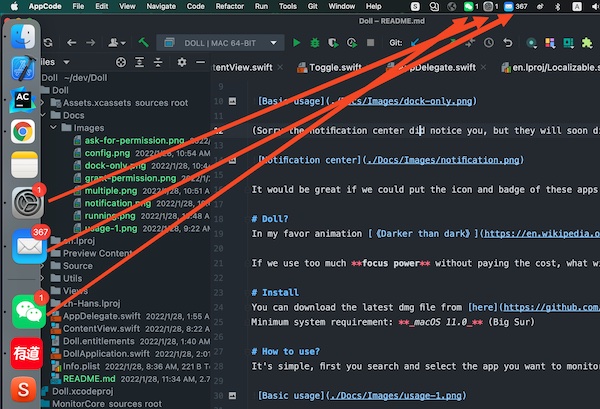
Doll is a menu bar app that puts the icons and badges of apps like Mail, Slack and Microsoft Teams into the menu bar.
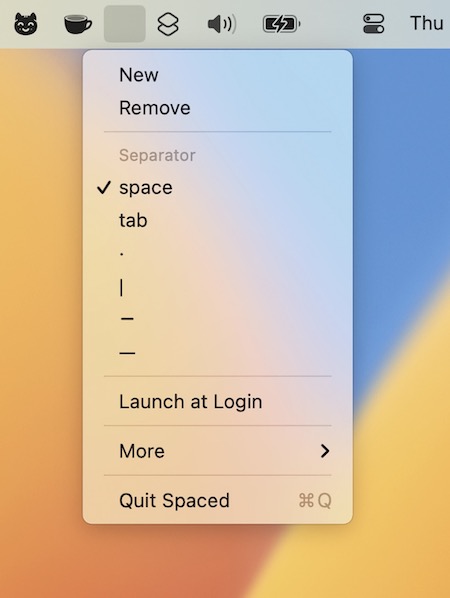
The menu bar app Spaced lets you organize your menu bar items into groups for a more streamlined appearance. Comes in handy on larger screens where menu bar space is ample.
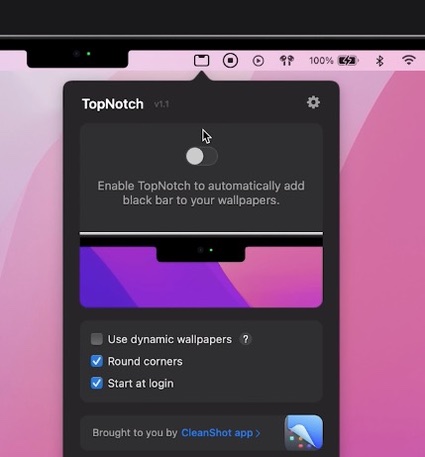
TopNotch hides the notch by making your menu bar black. It’s only cosmetic and doesn’t take away any screen real estate. The app can also be used on any non-notch Mac to make the menu bar black.

Menu Bar Dock places the apps you currently have open onto your menu bar. Now you have freed up all that space at the bottom of your screen!
You can change the number of apps shown, icon size and spacing, and sorting order in the app’s preferences.