Collection:
System Tools
iBoysoft NTFS for Mac
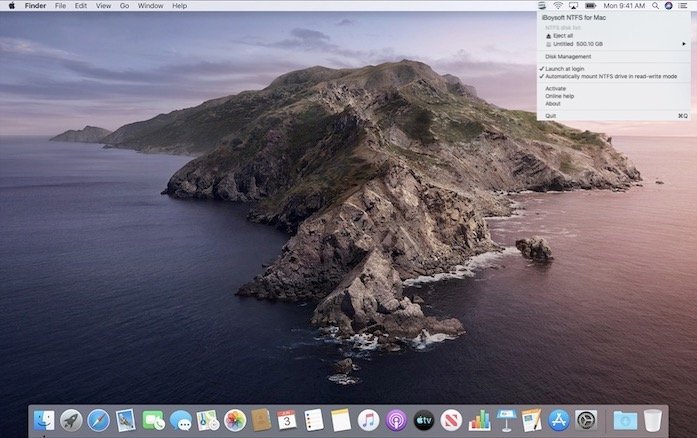
This menu bar app helps you to read and write to NTFS formatted drives on Macs and transfer files between Macs and PCs.

Control, tweak and extend macOS beyond its defaults. Toggle hidden settings, manage drives and NTFS volumes, monitor hardware health, control fans and power behavior, manage Homebrew services, automate routines, throttle processes, fix system glitches and access advanced functions directly from your menu bar.
Control, tweak and extend macOS beyond its defaults. Toggle hidden settings, manage drives and NTFS volumes, monitor hardware health, control fans and power behavior, manage Homebrew services, automate routines, throttle processes, fix system glitches and access advanced functions directly from your menu bar.
This menu bar app helps you to read and write to NTFS formatted drives on Macs and transfer files between Macs and PCs.
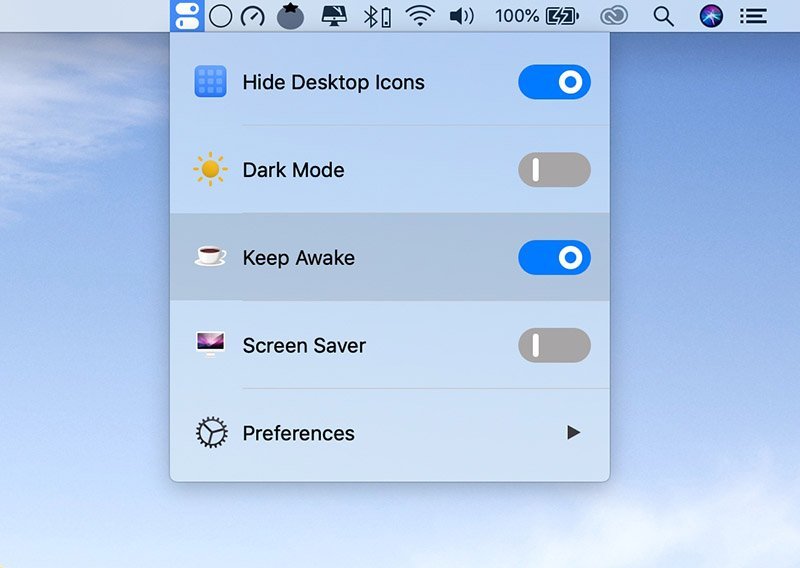
This menu bar app keeps all your powerful switches in one place: Hide Desktop Icons, Dark Mode, Keep Awake, Screen Saver, AirPods Connect, DND and Night Shift.
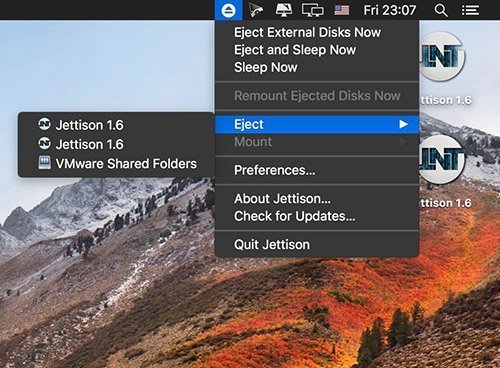
Jettison automatically ejects external disks from your Mac before your computer goes to sleep.
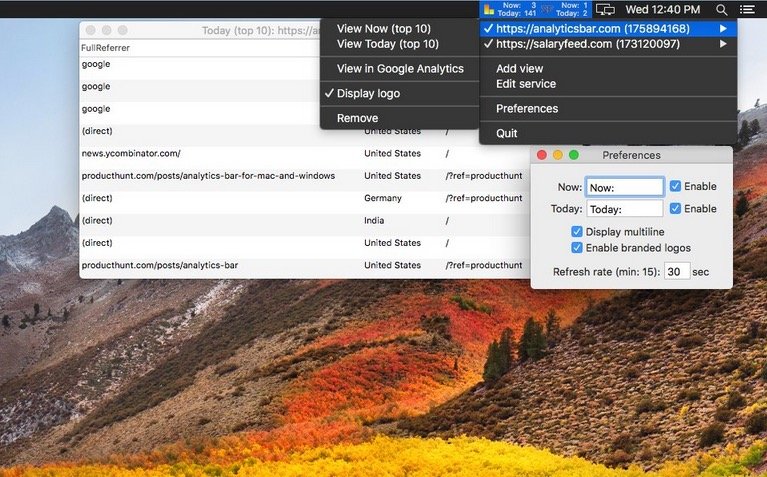
Realtime Google Analytics in your menu bar! This application delivers real time / current Google Analytics stats for the day of all your tracked websites.
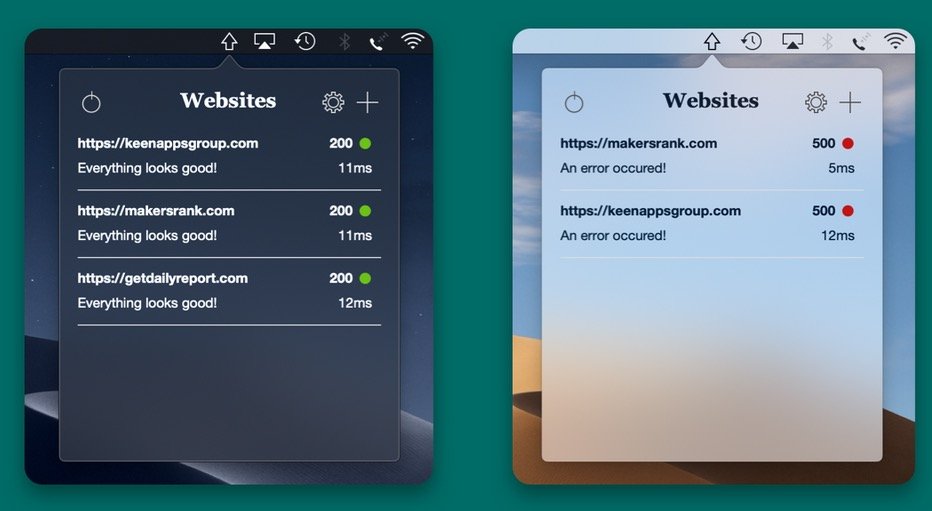
Web Ping keeps an eye on your websites, APIs and servers from the menu bar and tells you the moment one goes down, and when it’s back. It also checks for keywords, open ports and expiring SSL certificates, and sends alerts to Slack, Discord or your phone.
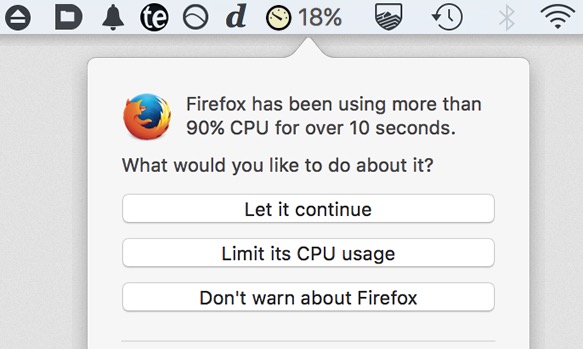
Some apps drain CPU power even when you are not using them, leading to heat, noise, and shorter battery life. App Tamer automatically slows or pauses background hogs, smartly uses Apple Silicon efficiency cores, and keeps performance focused where it matters most.