Collection:
System Tools
Web Ping
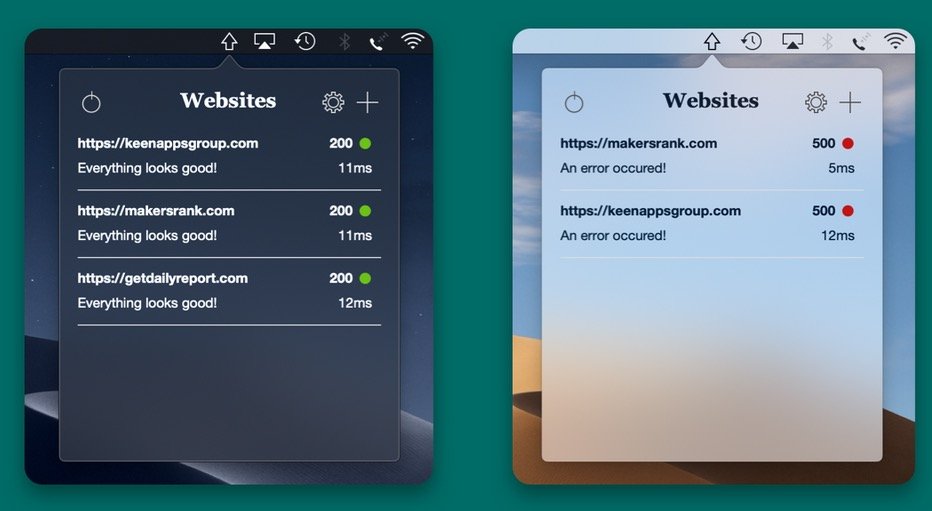
This menu bar app will ping all your websites straight from your computer and notify you when something is wrong with any of them, or when a broken website is back online.
The next time a site asks for a code, you’ll just tap it in. iPhone · iPad · Mac

Control, tweak and extend macOS beyond its defaults. Toggle hidden settings, manage drives and NTFS volumes, monitor hardware health, control fans and power behavior, manage Homebrew services, automate routines, throttle processes, fix system glitches and access advanced functions directly from your menu bar.
Control, tweak and extend macOS beyond its defaults. Toggle hidden settings, manage drives and NTFS volumes, monitor hardware health, control fans and power behavior, manage Homebrew services, automate routines, throttle processes, fix system glitches and access advanced functions directly from your menu bar.
This menu bar app will ping all your websites straight from your computer and notify you when something is wrong with any of them, or when a broken website is back online.
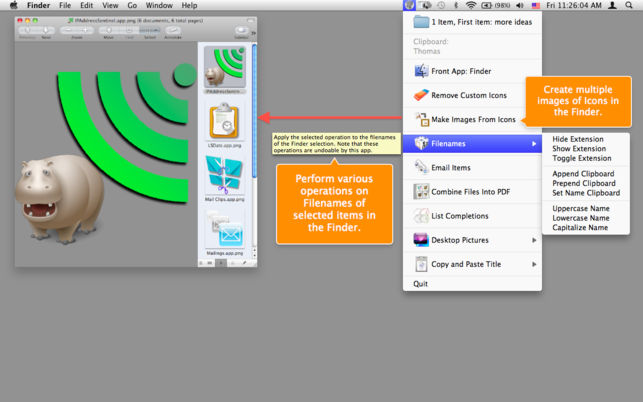
Amelita adds a smart context menu to your menu bar to grant you quick access to functions, like the ability to quickly change desktop backgrounds, copy images to your clipboard, add multiple senders to your address book with one click and so much more. It takes all these complex tasks and puts them in the menu bar, ready to go when you need them.
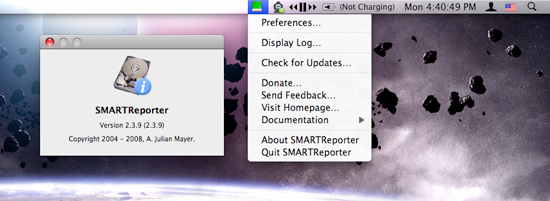
Your hard drive rarely sends polite warnings before it collapses. SMARTReporter keeps an eye on its S.M.A.R.T. status and I/O errors, flagging early signs of trouble through clear alerts and a color-changing icon. It can also watch RAID health and available boot disk space. It is not a backup solution, but it does give you a fighting chance before hardware failure turns into data loss.
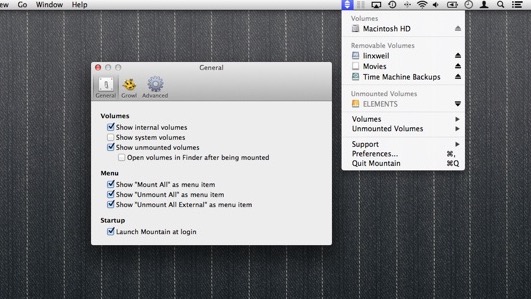
Mountain helps you mount, eject, remount and group volumes with a click, notifies you when it’s safe to unplug, reconnects favorite servers after sleep, and even shows which stubborn app is blocking your drive.
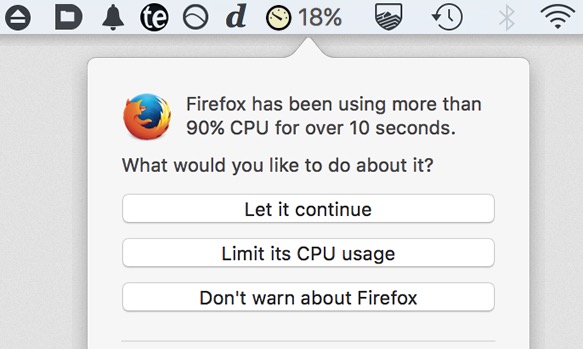
Some apps drain CPU power even when you are not using them, leading to heat, noise, and shorter battery life. App Tamer automatically slows or pauses background hogs, smartly uses Apple Silicon efficiency cores, and keeps performance focused where it matters most.