Collection:
System Tools
Menubar Info

This menu bar app shows live system stats at a glance: CPU and memory usage, network activity, battery health and open ports, which you can also manage from the menu.

Good apps don’t always come with a price tag. These menu bar gems are free — and worth your space.
Good apps don’t always come with a price tag. These menu bar gems are free — and worth your space.
This menu bar app shows live system stats at a glance: CPU and memory usage, network activity, battery health and open ports, which you can also manage from the menu.
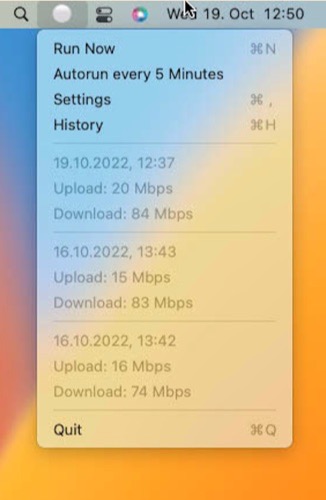
This menu bar app is a simple wrapper that regularly performs a speed test and checks your network quality. Designed primarily for problem resolution rather than long-term use.

SecondClock shows a second (or third or fourth) time zone in your menu bar. You can select from all time zones and customize the name shown to fit your needs.

Organize your windows by dragging them to one side of the screen, using keyboard shortcuts, or clicking on the Tiles icon in your menu bar.

Schedule regular mindfulness reminders, each announced by the calming sound of a singing bowl.

A simple text box that lives in your menu bar. No formatting, no bullets, no lists — just strikethrough.
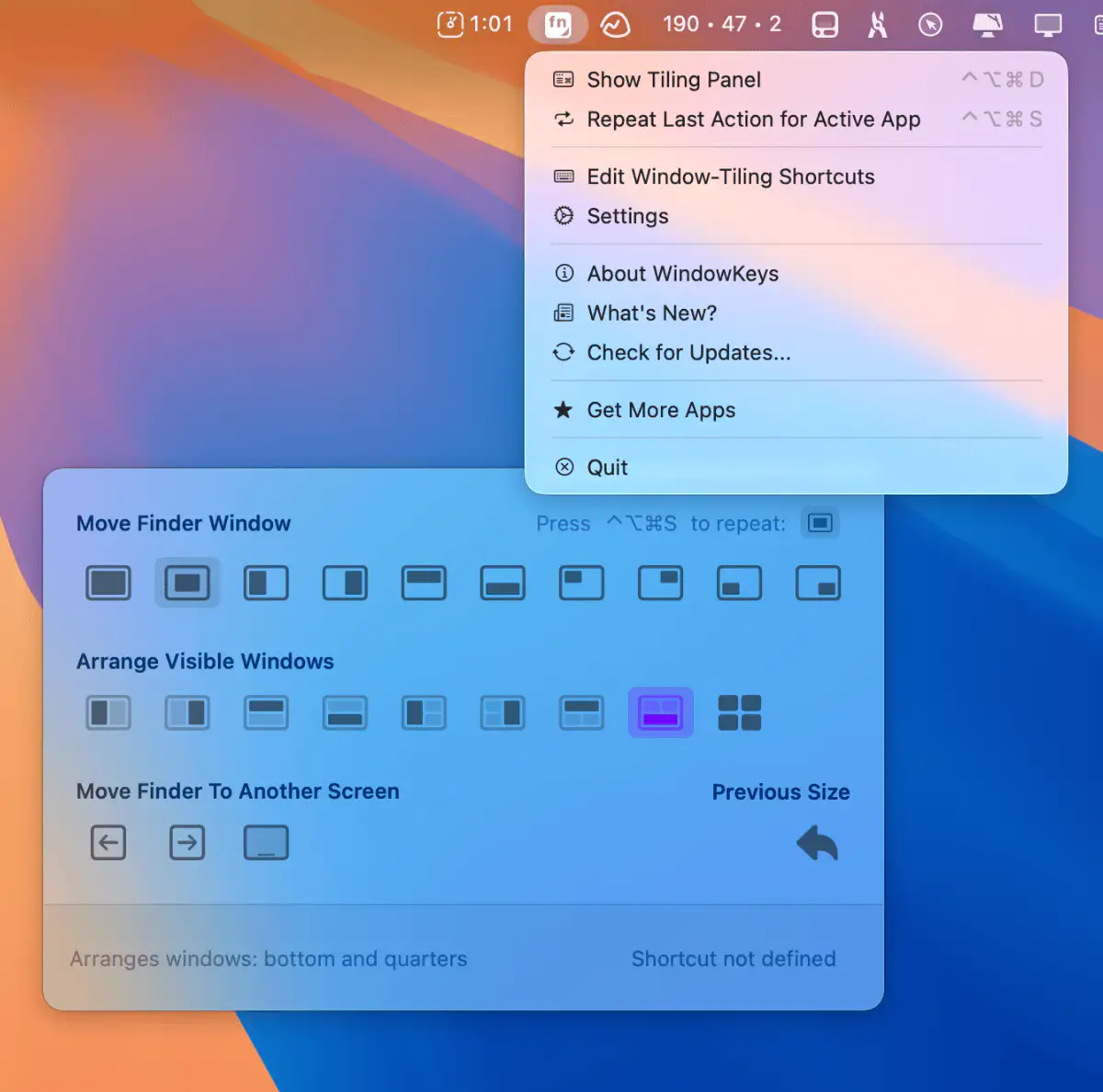
Customize macOS window tiling shortcuts and use them on any keyboard. This menu bar app gives you full control with a handy command panel—simple, flexible, and always within reach.

This menu bar app throws a burst of colorful confetti across your screen with a keyboard shortcut. You can also give your mouse cursor a confetti trail.

