
Collection:
Note Taking Apps
Capture thoughts before they disappear. Jot down quick notes, ideas, to-dos, snippets, reminders, or full drafts directly from your menu bar, with instant access, autosave, sync options, and minimal distraction.

Collection:
Note Taking Apps
Strikethrough

A simple text box that lives in your menu bar. No formatting, no bullets, no lists — just strikethrough.
Collection:
Note Taking Apps
Redline

Collection:
Note Taking Apps
Scratchpad

Scratchpad gives you a single note in your menu bar for jotting down quick thoughts and ideas, synced across your Apple devices.
Collection:
Email & Contacts | Note Taking Apps
Alto

Alto adds handy tools to Apple Notes: copy links or markdown, see backlinks, and publish your notes online as a blog or website.
Collection:
Note Taking Apps | Writing Apps
Steecky

Steecky puts notes, tasks, clipboard history, code snippets and quick links together in one menu bar app. Everything is stored locally on your Mac, and a global shortcut opens it from anywhere.
Collection:
Note Taking Apps | Timer Apps
Pomodoro Timer
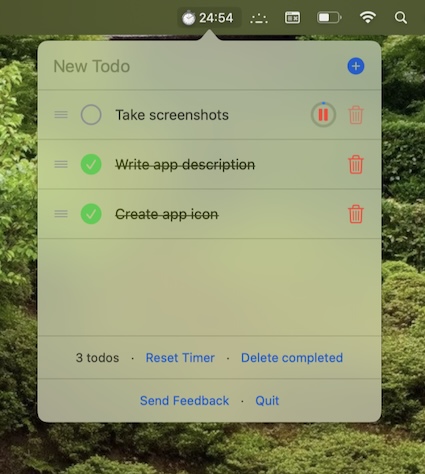
This menu bar app is a minimalistic pomodoro timer and todo tracker. Stored data never leaves your device.
Collection:
Note Taking Apps
Scrap Paper
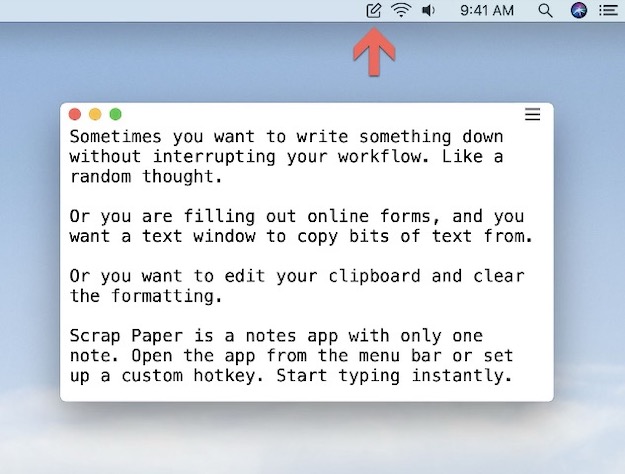
Scrap Paper lets you write short temporary notes and keeps them in sync using iCloud. The tool allows you to note down thoughts and ideas as they come to your mind, without interrupting your workflow.
Collection:
Note Taking Apps
Ghostnote
Collection:
Note Taking Apps
Sticklets
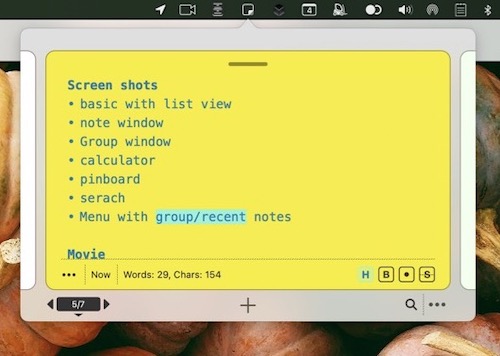
Sticklet (Inspired by real world Sticky Notes) is a menu app that’s always available for quick notes. It also has tools to structure and organise notes, and even for brainstorming ideas.