Collection:
Personal Apps
SitWit
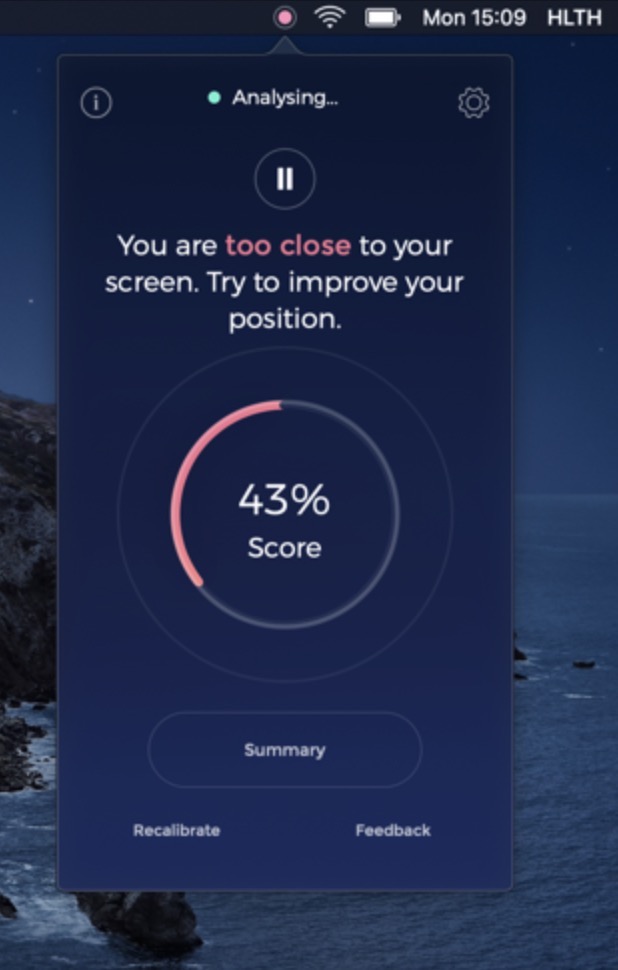
SitWit uses your Mac’s built-in webcam to monitor your sitting position as you work. It keeps a live “score” of your posture and sends notifications if you lean back or forward too much.

Make your Mac feel more like yours. Control smart home devices, track habits, flights or air quality, monitor personal data, get gentle reminders, learn something new, or add small daily comforts — all directly from your menu bar.
Make your Mac feel more like yours. Control smart home devices, track habits, flights or air quality, monitor personal data, get gentle reminders, learn something new, or add small daily comforts — all directly from your menu bar.
SitWit uses your Mac’s built-in webcam to monitor your sitting position as you work. It keeps a live “score” of your posture and sends notifications if you lean back or forward too much.
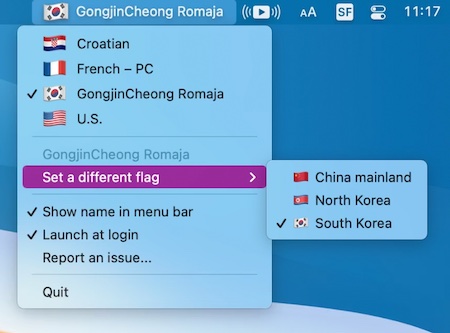
Since a lot of input sources and languages are used in multiple countries, why not let the user choose which flag they want to have displayed? Inspired by this blog post.
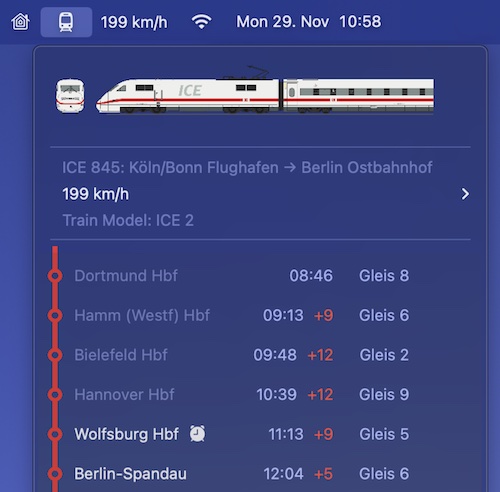
ICE Buddy offers you all important information about your trip (German railways) at a glance. Directly in your menu bar, fast and always up-to-date.
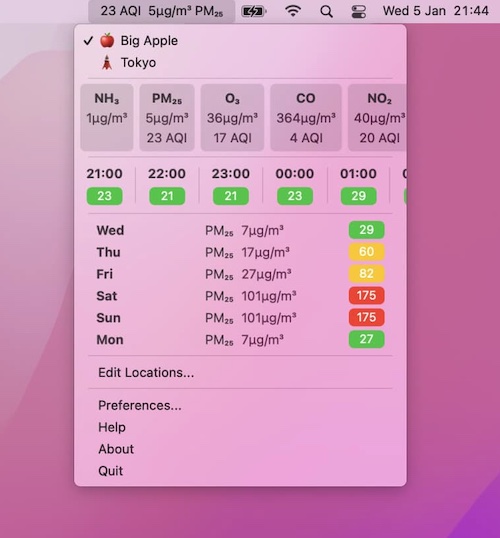
Neat Air shows air quality at a peek: the current AQI and main pollutant right in your menu bar, with hourly and daily forecasts in the dropdown. Pick your own data source and track saved locations or wherever you happen to be.
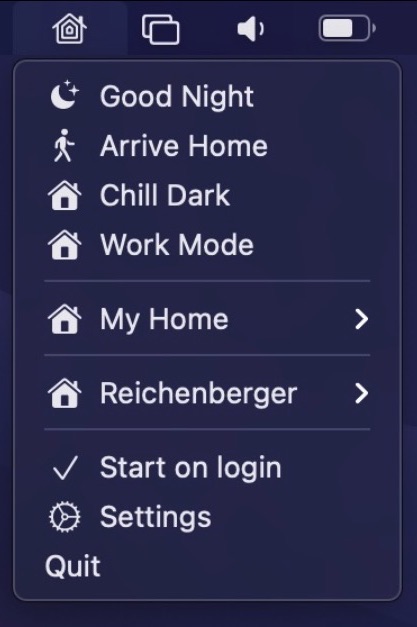
Control your HomeKit devices straight from your menu bar. There is also support for global keyboard shortcuts to enable scenes and automation support to trigger certain scenes automatically, e.g. when the computer is locked or wakes up from sleep. You can also pin sensors like temperature or air quality straight to your menu bar.
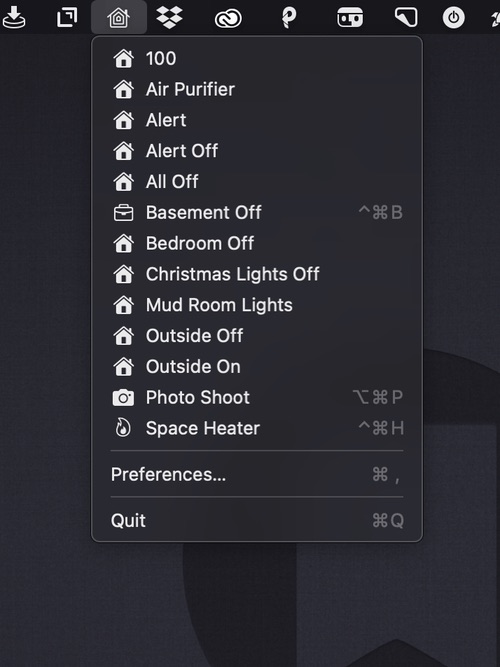
A menu bar app for controlling your HomeKit smart devices. You can edit the drop-down menu, add individual scenes to your menu bar, and assign them to global keyboard shortcuts.
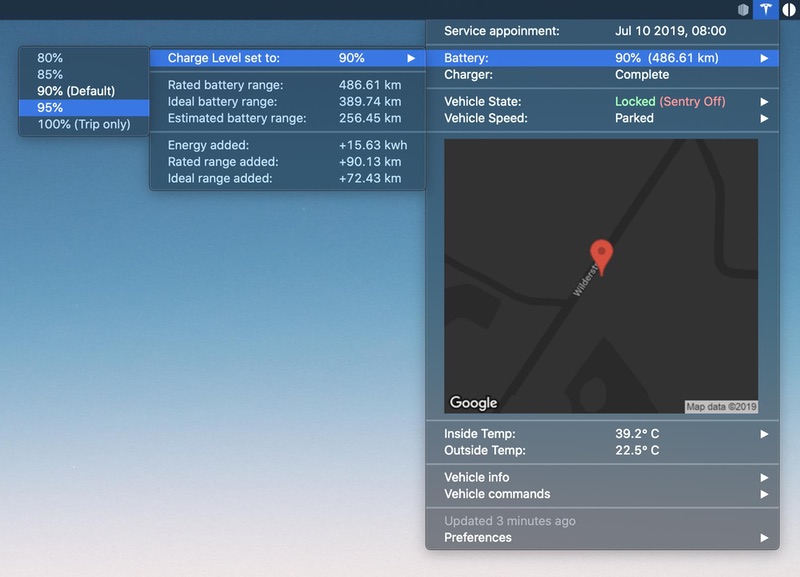
MyTesla shows your Tesla’s battery, location and climate in the menu bar, and lets you send commands like locking, charging and climate control from your Mac. It runs as an xbar plugin and needs your own Tesla developer account; newer cars need extra setup before commands work.
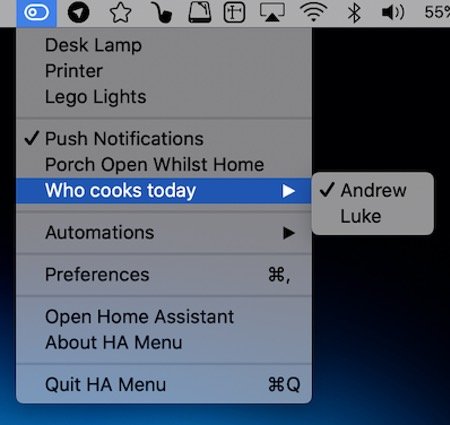
HA Menu puts your Home Assistant setup in the menu bar. Flip switches and lights, run scenes and scripts, open or close covers and glance at sensor values, all without opening a browser tab.