
Collection:
System Tools
Control, tweak and extend macOS beyond its defaults. Toggle hidden settings, manage drives and NTFS volumes, monitor hardware health, control fans and power behavior, manage Homebrew services, automate routines, throttle processes, fix system glitches and access advanced functions directly from your menu bar.

Collection:
System Tools
CPU Menu bar app

This straightforward and very simple menu bar utility displays your Mac’s current CPU percentage usage at a quick glance for efficient system performance monitoring and management purposes daily.
Collection:
System Tools
Mounty for NTFS

You can use this menu bar app to re-mount write-protected NTFS volumes under macOS in read-write mode.
Collection:
System Tools
Brew Services
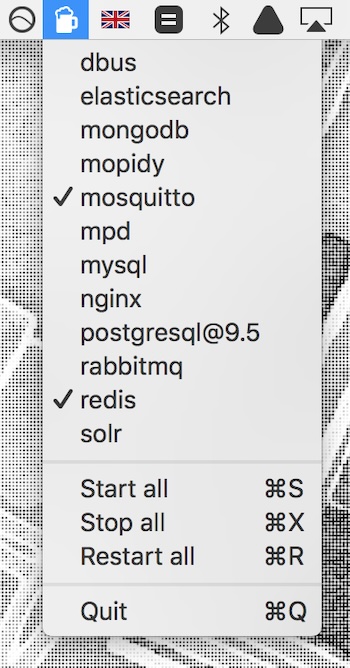
Start, restart, and stop Homebrew services directly from your menu bar without opening Terminal. Ideal for developers managing multiple background services during development and testing workflows efficiently.
Collection:
System Tools
Trash Buddy
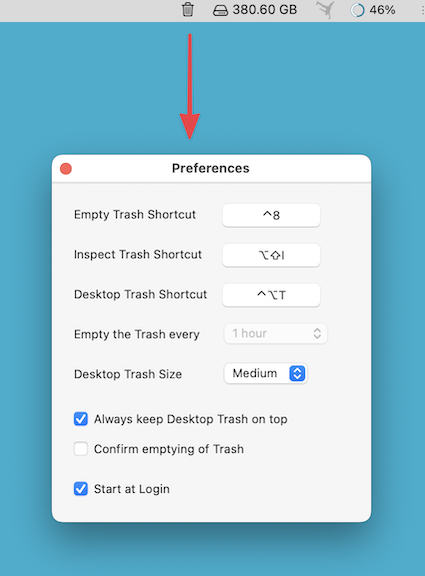
This menu bar app puts a large, freely movable Trash icon on your Desktop, and can automatically empty the Trash every 30 minutes to 24 hours.
Collection:
System Tools
FilevaultReboot
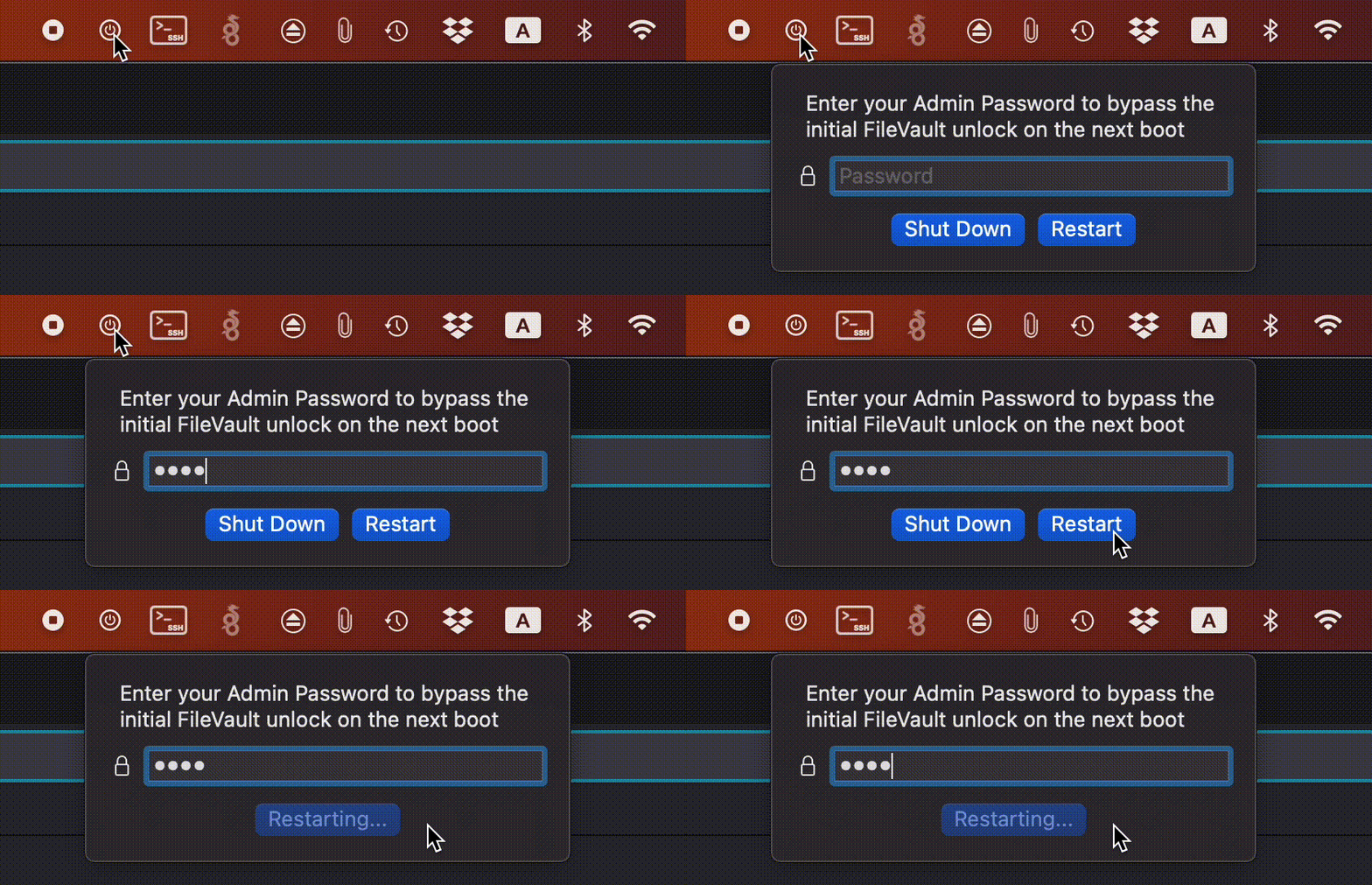
FilevaultReboot is a small open-source utility that adds a FileVault restart option directly to your menu bar, saving you from digging through System Preferences whenever you need to initiate a secure restart.
Collection:
System Tools
OnlySwitch
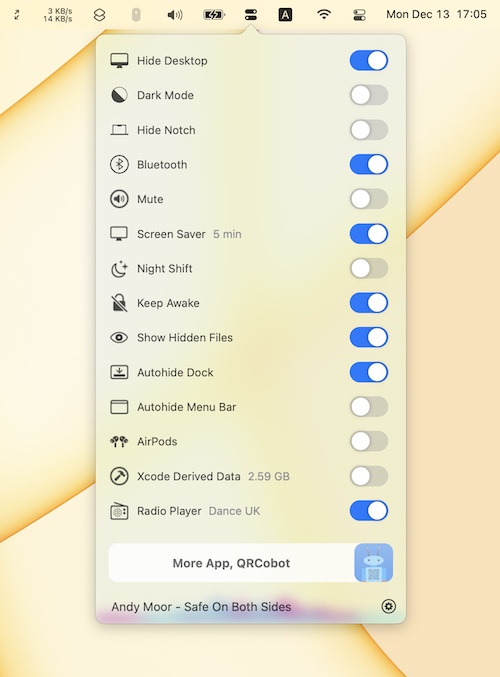
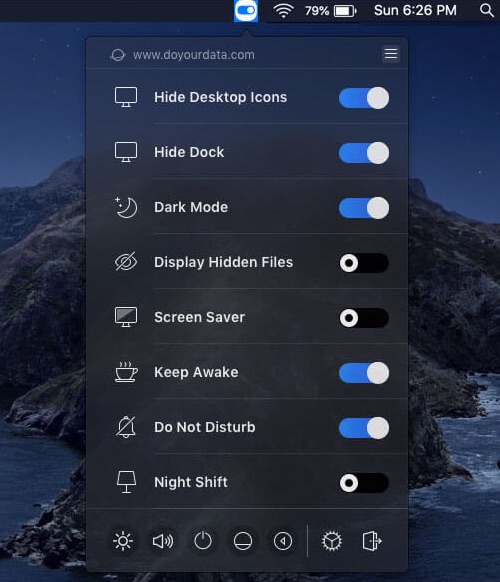
OnlySwitch gathers dozens of system toggles in one menu bar button, from dark mode and hidden files to keeping your Mac awake. On notched MacBooks it can also hide the notch.
Bunch
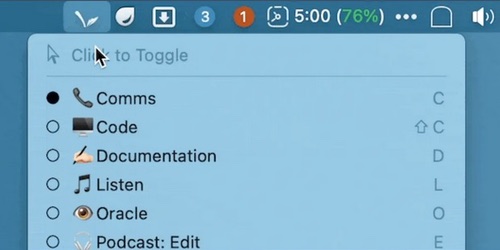
Bunch is a menu bar app that uses plain text scripts (‘Bunches’) to automate context switching. Bunches can open apps, specific files, web pages, and more.
Collection:
System Tools
Switch Manager
Collection:
System Tools
Memory Diag
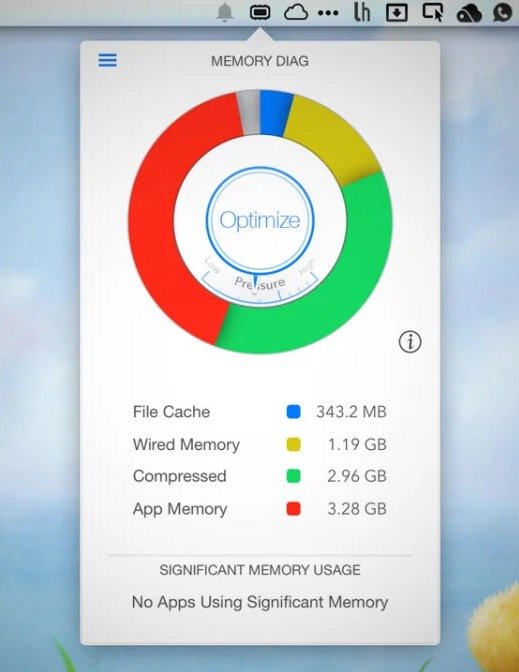
Memory Diag helps you to keep an eye on your systems memory. Quickly access detailed memory information and diagnosis with one click on your menu bar.