Collection:
System Tools
StatusBuddy
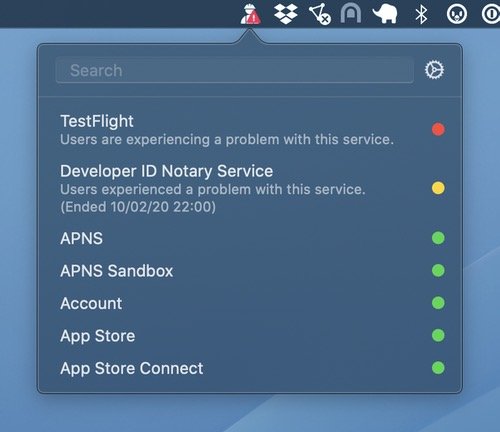
With StatusBuddy you can quickly check the status of Apple’s various online services, like iCloud, Apple Music, Apple TV+, and App Store Connect.
The next time a site asks for a code, you’ll just tap it in. iPhone · iPad · Mac

Control, tweak and extend macOS beyond its defaults. Toggle hidden settings, manage drives and NTFS volumes, monitor hardware health, control fans and power behavior, manage Homebrew services, automate routines, throttle processes, fix system glitches and access advanced functions directly from your menu bar.
Control, tweak and extend macOS beyond its defaults. Toggle hidden settings, manage drives and NTFS volumes, monitor hardware health, control fans and power behavior, manage Homebrew services, automate routines, throttle processes, fix system glitches and access advanced functions directly from your menu bar.
With StatusBuddy you can quickly check the status of Apple’s various online services, like iCloud, Apple Music, Apple TV+, and App Store Connect.
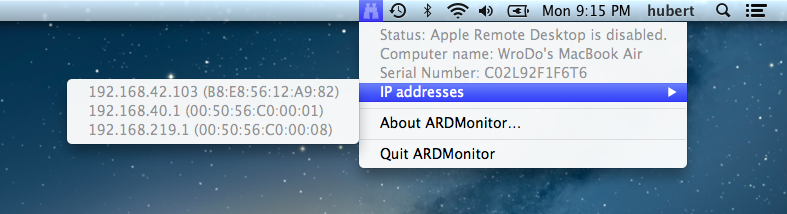
ARD Monitor shows the state of your Apple Remote Desktop (disabled, enabled, connected) – even if the Administrator asked for permission to monitor/control. You can also disconnect connected administrators. It displays your IP- and MAC-addresses, computer name and serial number.
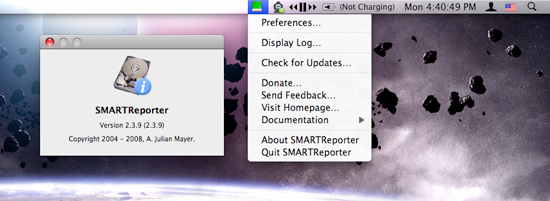
Your hard drive rarely sends polite warnings before it collapses. SMARTReporter keeps an eye on its S.M.A.R.T. status and I/O errors, flagging early signs of trouble through clear alerts and a color-changing icon. It can also watch RAID health and available boot disk space. It is not a backup solution, but it does give you a fighting chance before hardware failure turns into data loss.