Collection:
System Tools
OnlySwitch
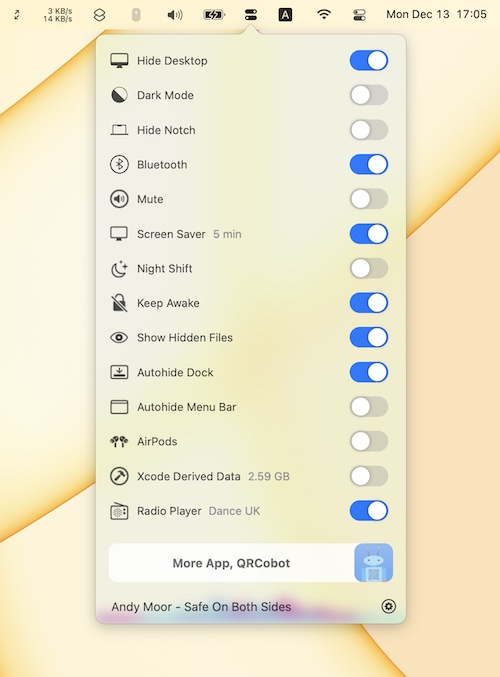
OnlySwitch gathers dozens of system toggles in one menu bar button, from dark mode and hidden files to keeping your Mac awake. On notched MacBooks it can also hide the notch.

Open code. Open minds. Open source menu bar apps.
Open code. Open minds. Open source menu bar apps.
OnlySwitch gathers dozens of system toggles in one menu bar button, from dark mode and hidden files to keeping your Mac awake. On notched MacBooks it can also hide the notch.

Neat brings your GitHub and Linear notifications to the menu bar, so you can stay on top of pull requests and code reviews without living in your inbox. Full keyboard navigation, granular filters, and everything is stored locally. Free to use.

Jandi gives you a quick and satisfying way to check your GitHub contribution count directly without opening the website, making it easy to stay motivated and maintain your streak on even the busiest days.
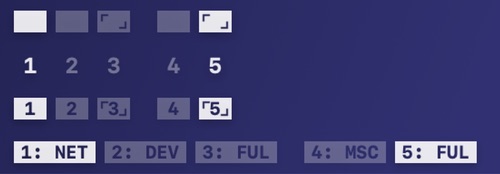
Spaceman shows your Spaces in the menu bar, so you always know which desktop you’re on and where it sits among the others, even across multiple displays. Choose rectangles, numbers or both, or give each Space a short name of its own.
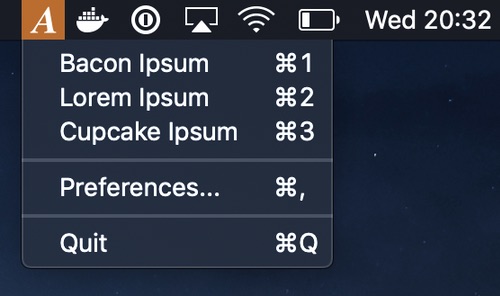
AnyIpsum puts lorem ipsum in your menu bar. Pick a variation, set how many sentences and words you want, and the paragraph lands on your clipboard. Open it with a keyboard shortcut, or import your own word lists to replace the classic Latin.
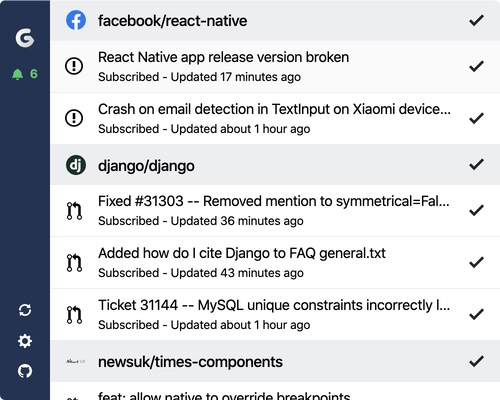
All your GitHub notifications, displayed in your menu bar. Gitify informs you for any GitHub notifications without being annoying. Works with GitHub and GitHub Enterprise. You can even connect multiple accounts.
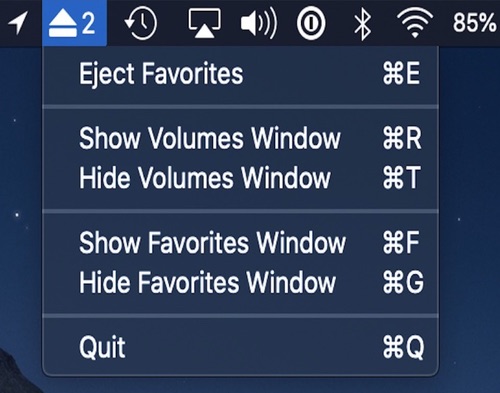
Eject multiple mounted volumes in one click with this easy to use menu bar app. You can also favorite a mounted volume to save it for quick unmounting later.

A menu bar app for quickly toggling macOS’s dark mode. Left clicking the icon toggles dark mode; right clicking reveals more options.
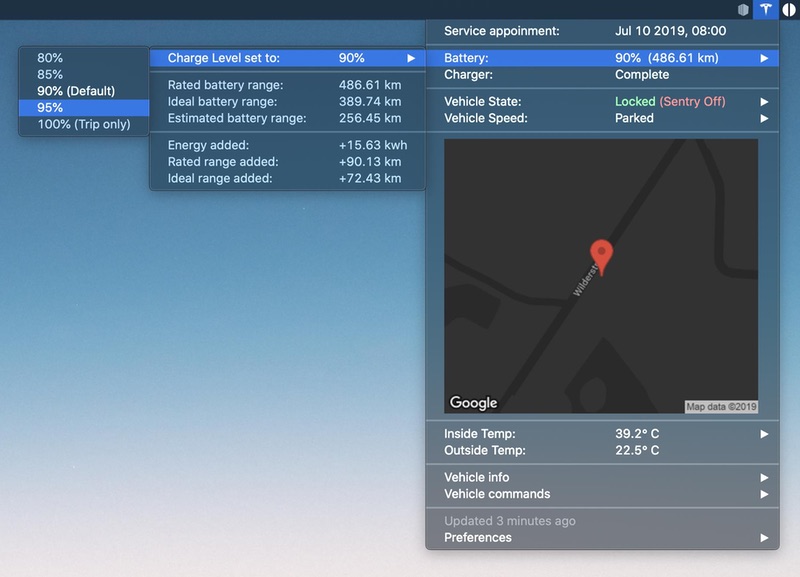
MyTesla shows your Tesla’s battery, location and climate in the menu bar, and lets you send commands like locking, charging and climate control from your Mac. It runs as an xbar plugin and needs your own Tesla developer account; newer cars need extra setup before commands work.