Open code. Open minds. Open source menu bar apps.
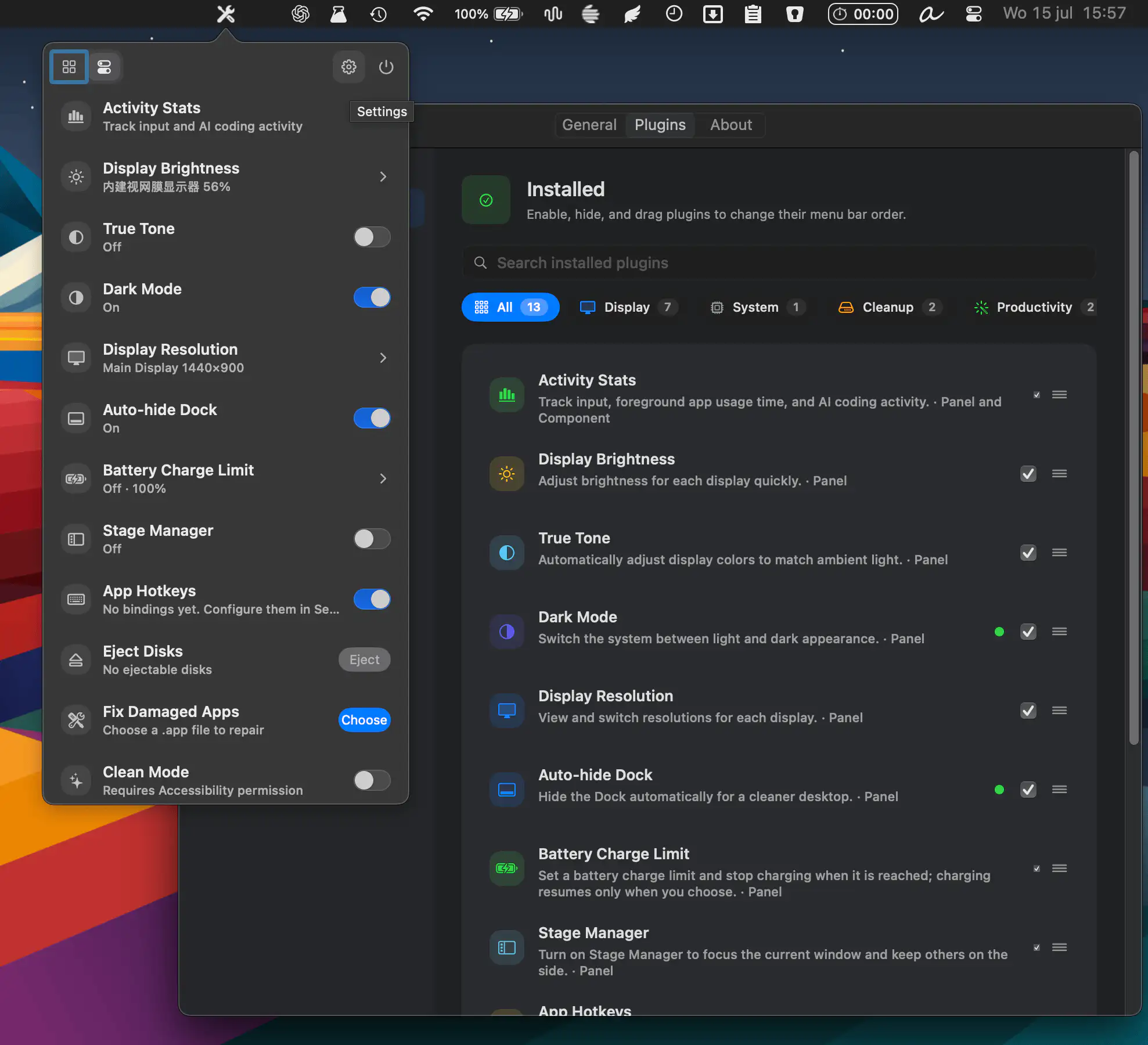
MacTools combines dozens of system utilities into one customizable app, with display controls, cleanup tools, monitoring widgets, battery management, and productivity features. Enable only the tools you need and keep everything organized in one place.
Visit
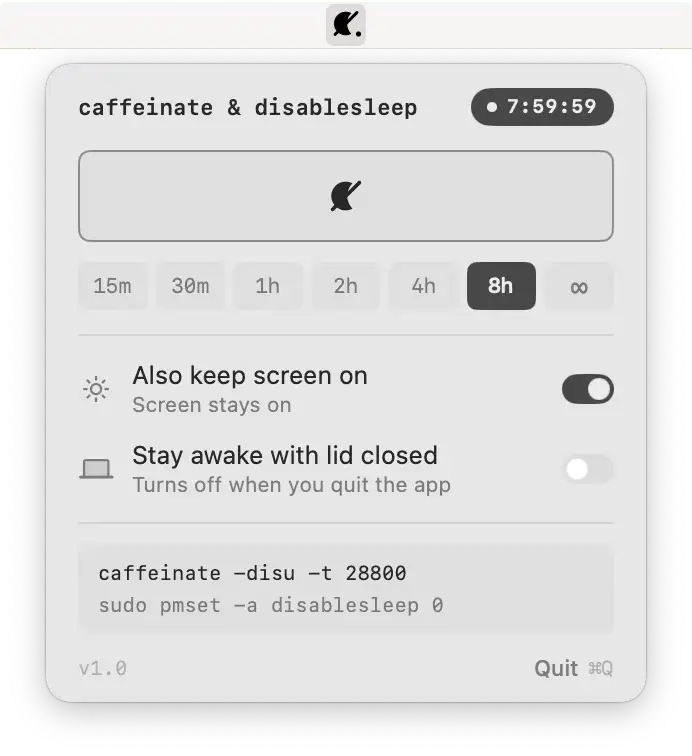
Keep your Mac awake with one click, even with the lid closed. A lightweight open-source utility brings caffeinate and disablesleep controls together with timed sessions and transparent system commands.
Visit

This menu bar app transforms SketchyBar into a polished, ready-to-use desktop with built-in widgets for clipboard history, screenshots, window snapping, system monitoring, media controls, weather, meetings, and dozens of other everyday tasks.
Visit

SketchyBar is a highly customizable macOS status bar replacement built for power users. With dynamic scripting, animations, interactive widgets, graphs, and popup menus, it transforms the menu bar into a flexible, event-driven workspace.
Visit Watch
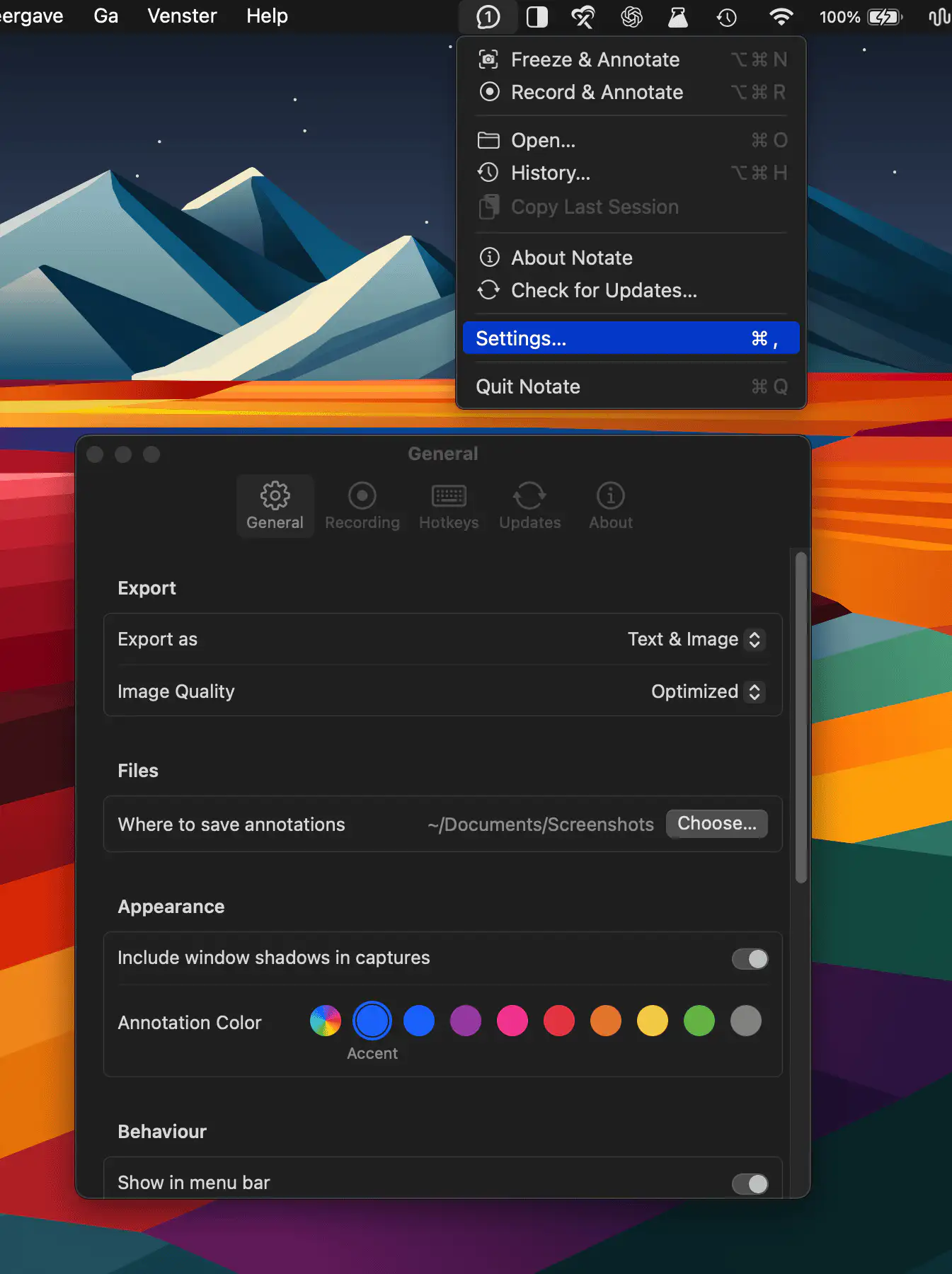
Notate freezes the exact screen state — open menus, hover and focus states included — or records short sequences for frame-by-frame annotation. It adds numbered pins, arrows, and shapes, then exports clean images or agent-ready Markdown.
Visit Watch
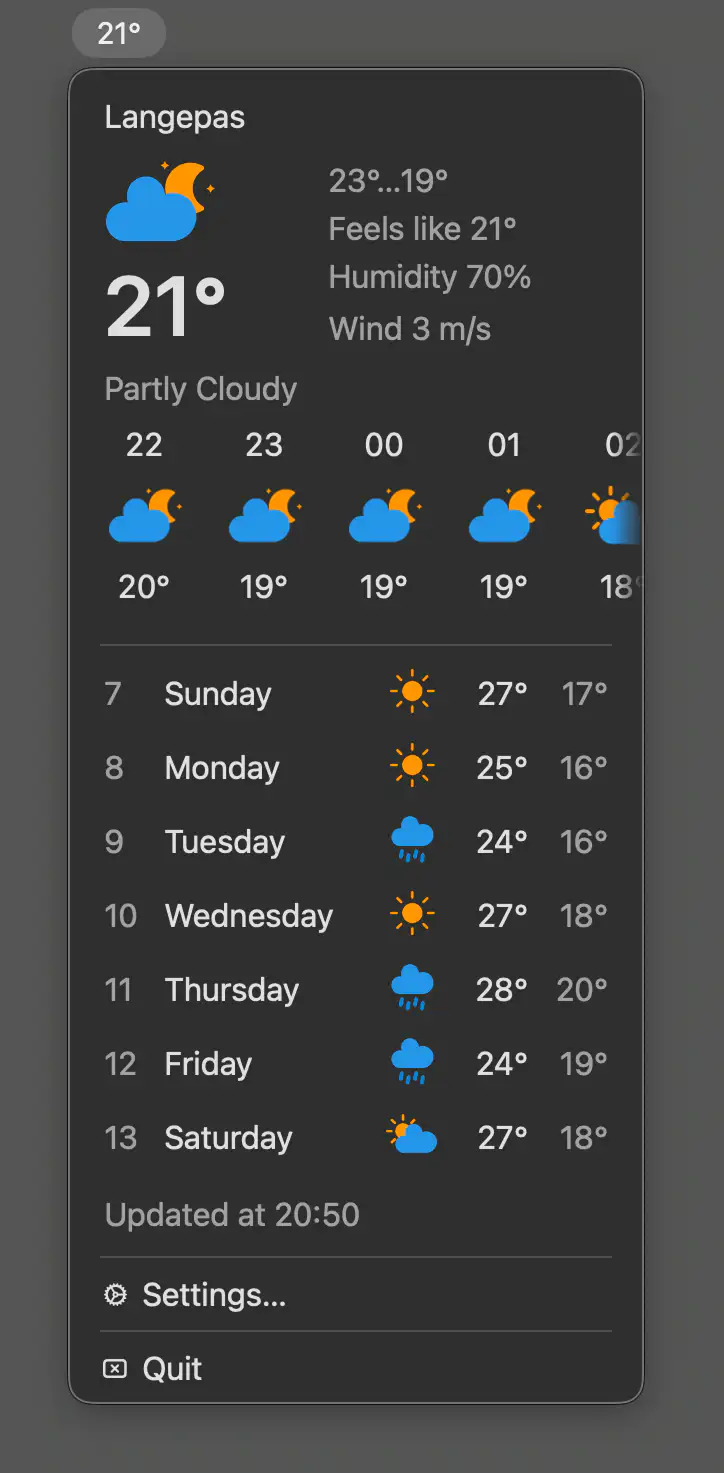
This menu bar app provides quick access to current weather conditions, hourly and daily forecasts, with location support, unit preferences, and precipitation alerts.
Visit
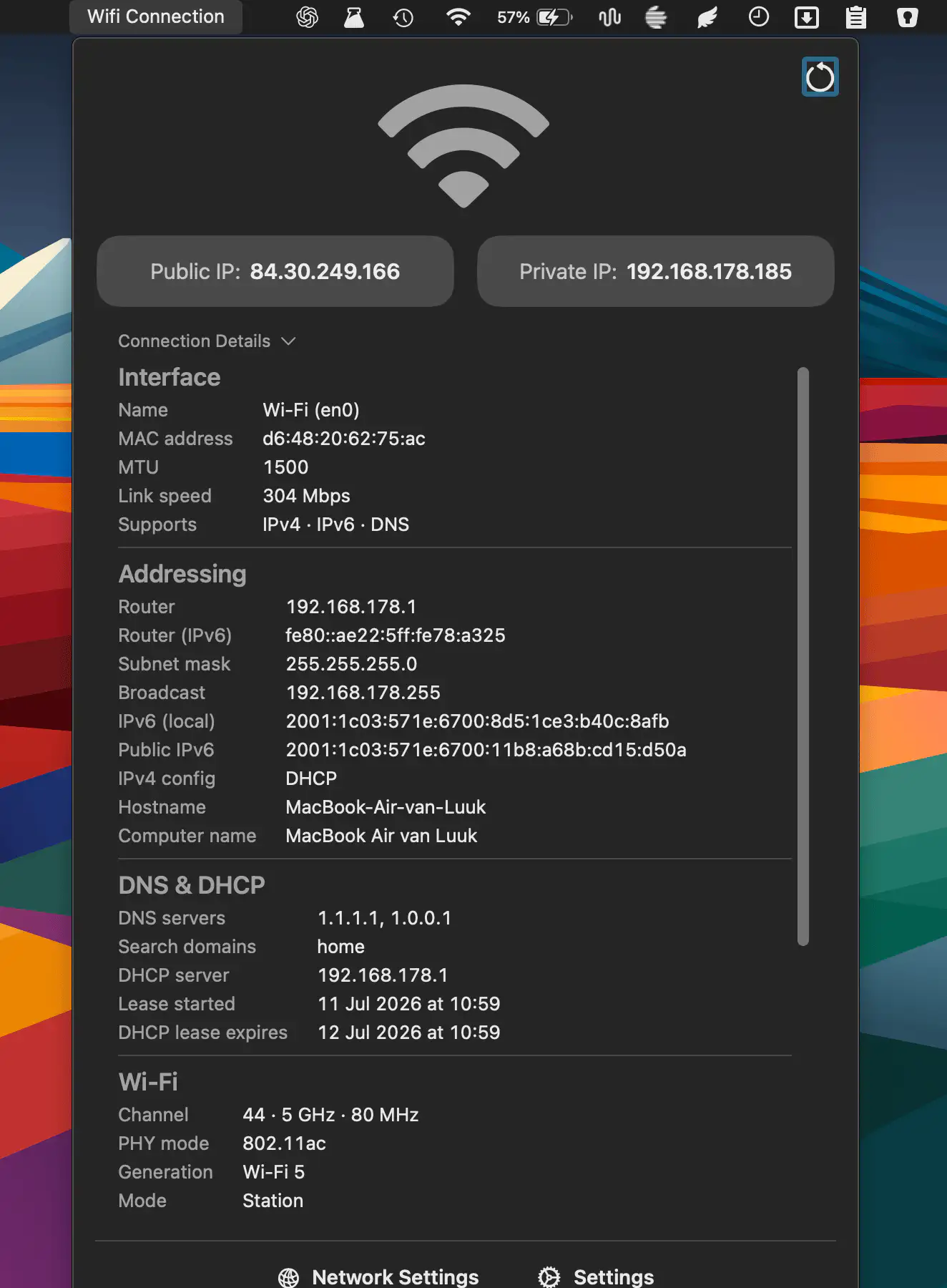
QuickNetStats shows connection type, link quality, and IPv4 addresses at a glance. It helps monitor connectivity and provides detailed information about your current network connection.
Visit
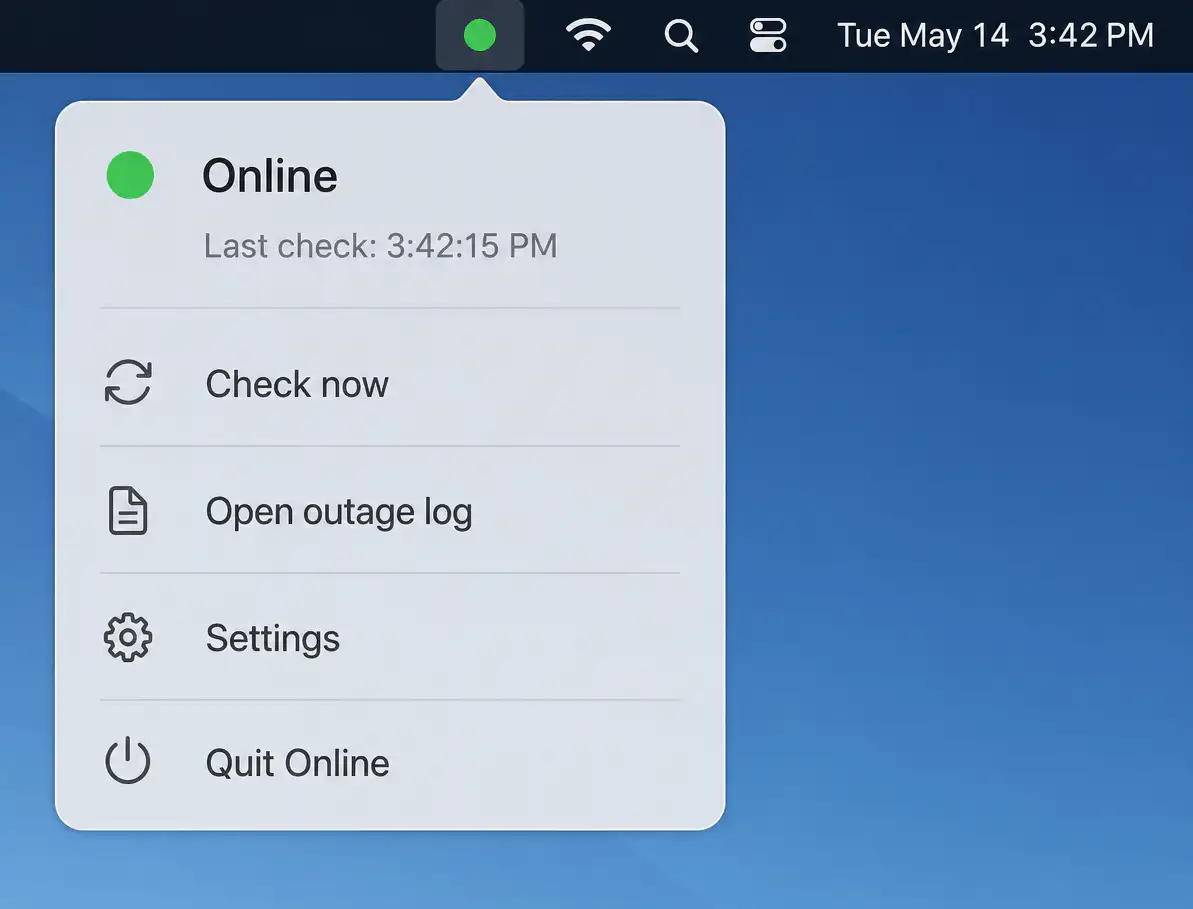
Online quietly monitors your internet connection with layered connectivity checks, detecting real outages beyond simple Wi-Fi status. It identifies likely causes, logs interruptions, and sends timely alerts while staying unobtrusive when everything works.
Visit
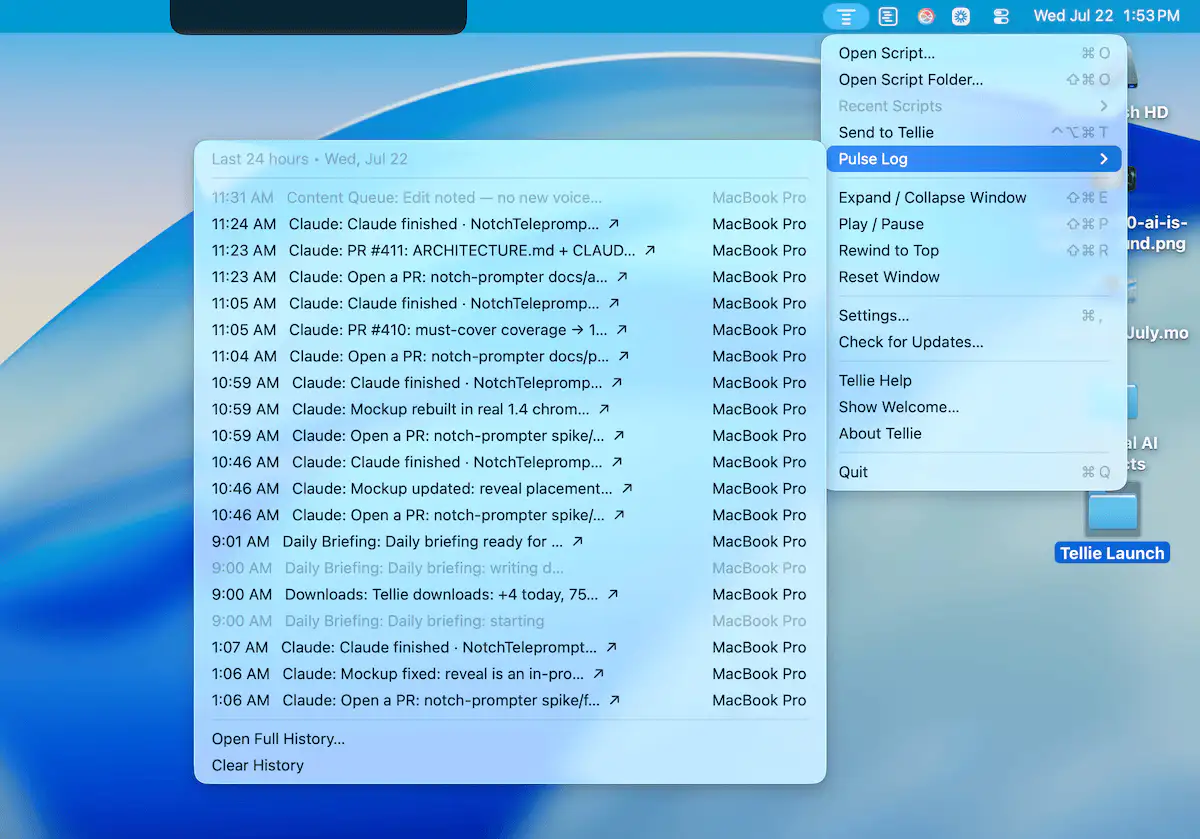
Tellie helps you stay focused while speaking by following your voice with on-device speech recognition. Use it for presentations, recordings, meetings, and scripts that stay private and follow your flow.
Visit
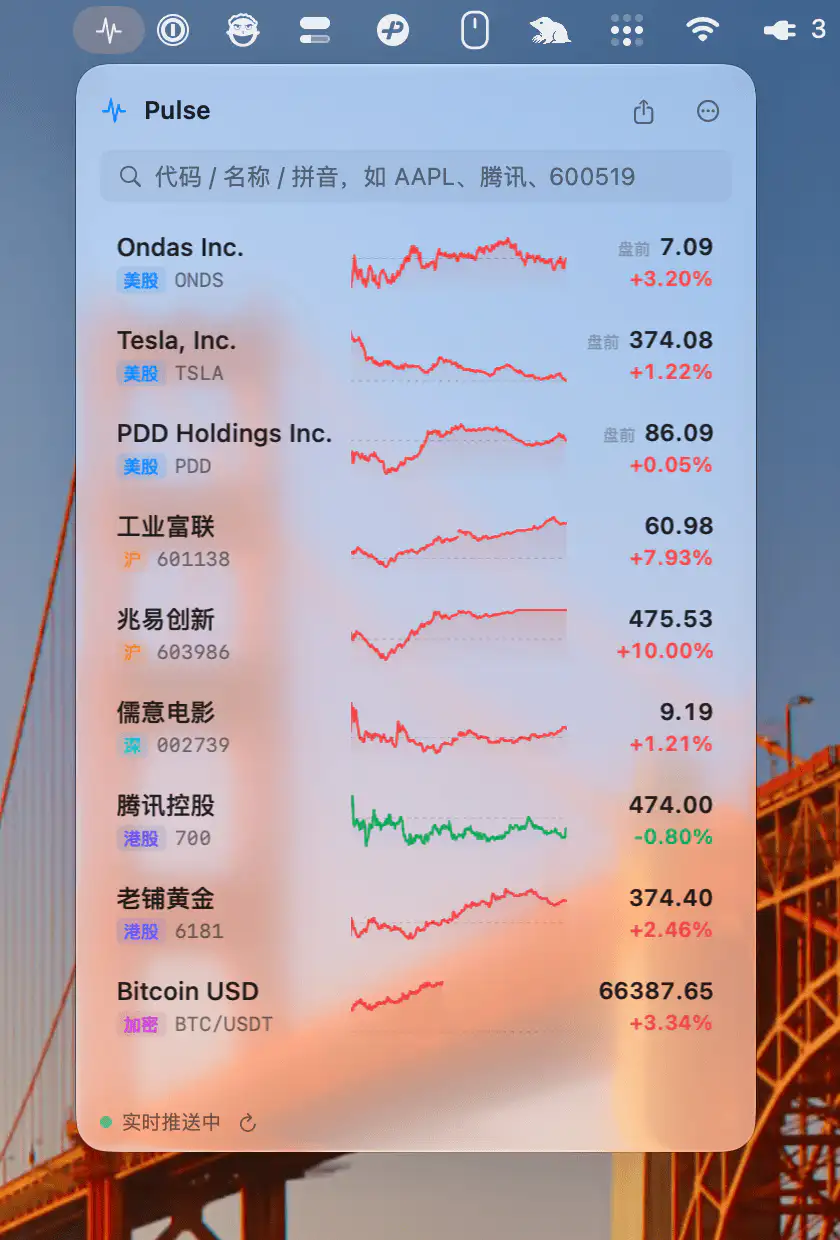
Pulse is a market tracker for stocks, ETFs, crypto, and position P&L, with live quotes, sparklines, watchlists, and optional real-time market data through Longbridge in a native SwiftUI app.
Visit
