Fresh finds for your menu bar. Most recently added apps on top – last updated: June 12, 2026.

Juice for macOS

Juice

Juice puts real Bluetooth control at your fingertips, letting you connect devices instantly, view detailed information, and trigger everything with smart, customizable shortcuts from your menu bar icon.

Visit

NightTone

Work more comfortably.

NightTone

NightTone gently shifts your display toward warmer, softer tones, helping your eyes relax and your sleep cycle stay intact. With adjustable palettes, brightness control, scheduling, and multi-monitor support, it quietly adapts to your routine so you can work late without feeling like you just stared into a small artificial sun.

Visit

Breakaway

Breakaway

Breakaway 3 quietly turns everyday listening into something smarter. Unplug your headphones and your music pauses, plug back in and it resumes, while mute works the same magic.

Visit Watch

Tomighty

Tomighty

Tomighty brings simplicity to focus sessions with a lightweight, distraction-free interface that quietly helps you work in steady, deliberate bursts of concentrated effort and productive rest throughout the day.

Visit

Tim

Tim Time Tracker

Tim keeps time tracking straightforward, showing your active task at a glance while offering detailed reports, flexible exports, and smart automations. Everything stays private on your device, so you stay in control of both your hours and your data.

Visit

IP in menubar

Ipinmenubar

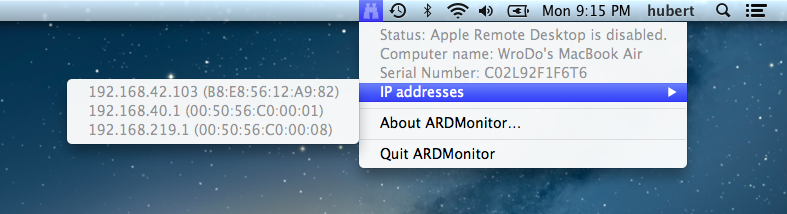
If you occasionally forget your own IP address, this one keeps it politely visible at all times. It runs quietly in the background, updates automatically, and offers simple customization, including support for router and local IP display.

Visit

MostRecent

Mostrecent

MostRecent keeps your apps exactly where you expect them by automatically moving recently launched ones to the top. Over time it quietly learns your habits, making everyday launches faster, whether you prefer clicking, shortcuts, or Touch Bar.

Visit

Theine

Theine

Theine prevents your Mac from dozing off mid-presentation or mid-render, keeping the screen bright with a single click. Timers, shortcuts, and full automation make it flexible for any workflow.

Visit Watch

Droplr

Drag and drop your files to the Droplr icon in the menubar. They will be uploaded to your Droplr storage. You will get the link to the files that you can share with your friends. Free users (4 GB Cloud Storage) can keep the files in the cloud storage for 24 hours.

Visit