Fresh finds for your menu bar. Most recently added apps on top – last updated: November 24, 2026

A secure vault to store everything at one place using a single master password. All your data is saved locally on your device. Your information never leaves your device until you explicitly choose to do so by syncing through any of your cloud accounts, and even then it’s encrypted.
Visit
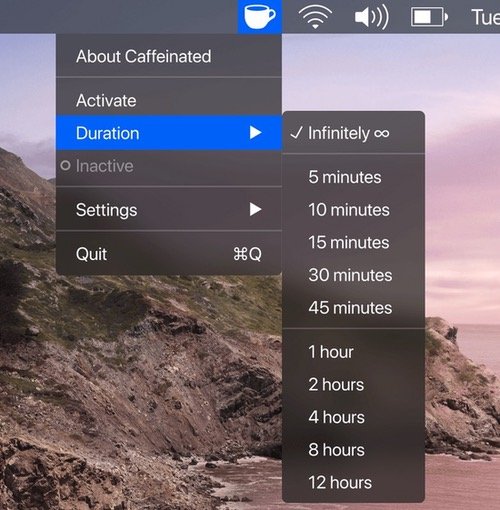
Caffeinated prevents your Mac from going to sleep, dimming your screen or starting the screensaver. The app is optimized for Retina Displays and Dark Mode.
Visit
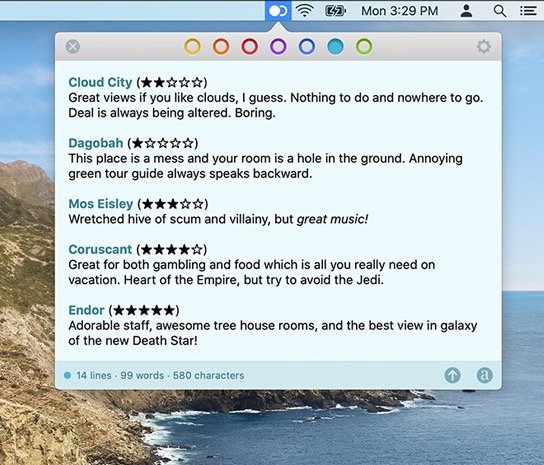
With Tot you can collect and edit text across your Mac, iPhone, and iPad, all via the menu bar. Seven color-coded dots let you organize your notes.
Visit
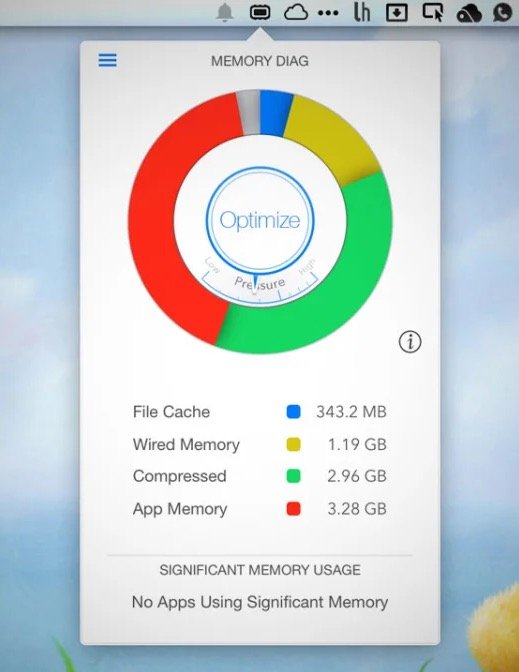
Memory Diag helps you to keep an eye on your systems memory. Quickly access detailed memory information and diagnosis with one click on your menu bar.
Visit
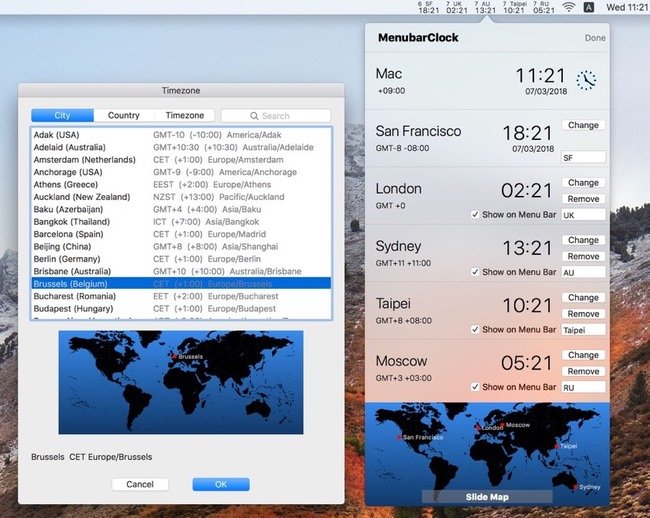
MenubarClock puts up to eight world clocks in your menu bar, each with a label you choose. Slide through the day in the popover to see what time it will be everywhere before you schedule that call.
Visit
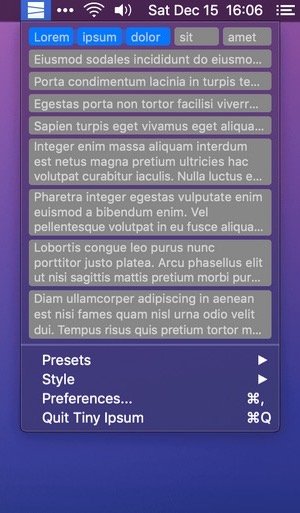
This menu bar app gives you quick access to a large array of placeholder text, also known as Lorem Ipsum – or simply Lipsum. Quickly copy a set of words, sentences, or paragraphs in a ready-to-paste format. You can choose from a variety of built-in Lipsum presets, or create your own.
Visit
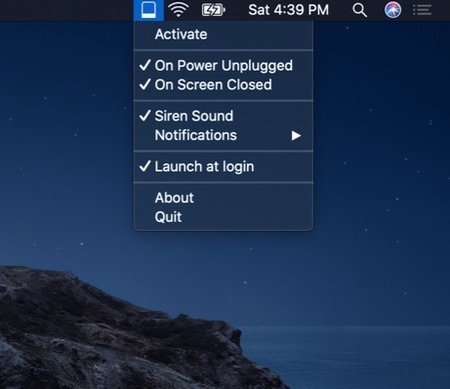
Protect your MacBook from theft when you’re working in remote spaces. Get notified when someone unplugs your MacBook from power or closes its screen.
Visit
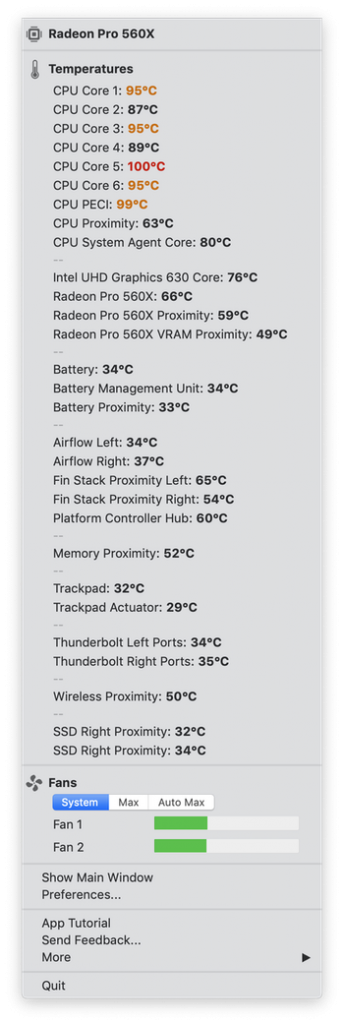
Quickly view CPU, GPU, logic board or hard drive temperatures, check battery health and the other hardware diagnostics. TG Pro supports all Macs from 2008 and newer.
Visit
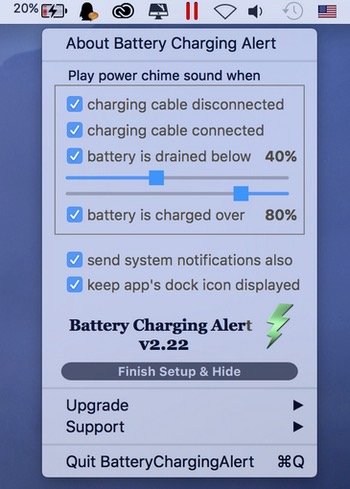
With the menu bar app, you receive an alert when your MacBook is plugged in or unplugged, and when your battery percentage reaches a preset level, so you know when to plug in your computer to keep it from dying or to unplug it and save your battery life.
Visit
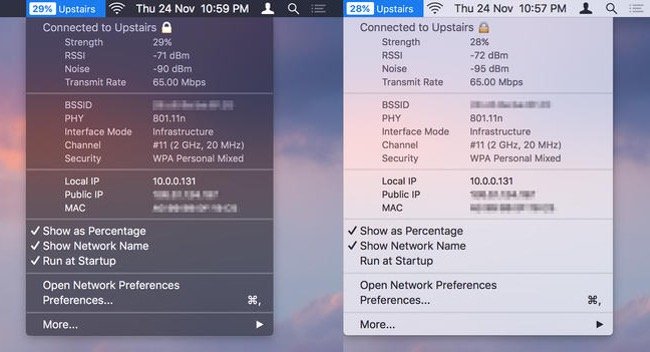
Wifiry allows you to see wireless signal strength right in your menu bar. You can check the strength, IP address, and speed of the connected WiFi network.
Visit