Good apps don’t always come with a price tag. These menu bar gems are free — and worth your space.

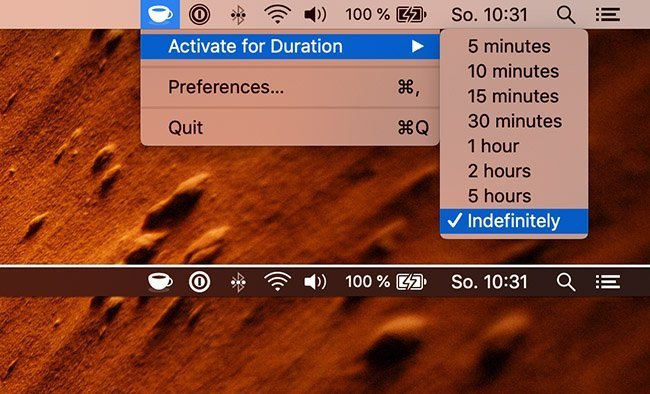
With Amphetamine, you can effortlessly override your energy saving settings and keep your Mac awake. You just have to tap on a single icon on your macOS Menu Ba. Once activated, your system will stop going to sleep. You can also set it up so that Amphetamine only kicks on when it notices that a particular app is running.
Visit Watch

Rocket is a free Mac app that makes typing emoji faster and easier using Slack-style shortcuts. A simple and effective app that gets the job done. It lets you quickly enter emoji by typing rather than scrolling through a list.
You can also access any emoji through Rocket’s built-in shortcut window.
Visit Watch

Vanilla is a free Mac app that lets you hide menu bar icons, keeping your menu bar clean and clutter-free while maintaining quick access when needed.
Visit Watch

Are you a Gmail user? Kiwi puts your Gmail account inside a popup panel that you can bring up from the menu bar.
Visit Watch

SpotMenu is a Spotify style menu bar app that displays the artist/album in the menu bar. The app comes in handy when you hear a song and wonder “Who is the artist/album?” Then you can click the Menu Bar icon to interact with what’s playing.
Visit Watch

Clocker helps you keeping track of your friends and colleagues in different time zones. You can also add notes and create reminders.
Visit

Mia for Gmail puts the contents of your Gmail inbox in the menu bar, giving you quick access to your messages without opening a separate window.
Visit Watch

Is your Mac keeping you up late? F.lux is a free download that warms up your computer display at night, to match your indoor lighting. The app saves your eyes by making your display’s brightness adapt to the time of day.
Visit Watch

iBetterCharge tracks the power of your iOS devices. When they hit a specific battery capacity (or are fully charged up when plugged in), the app will let you know.
Visit Watch

gfxCardStatus is an unobtrusive menu bar app for OS X that allows MacBook Pro users to see which apps are affecting their battery life by using the more power-hungry graphics. It also tells you which graphics card you are using.
Visit Watch