
Collection:
Battery Apps
Juice!
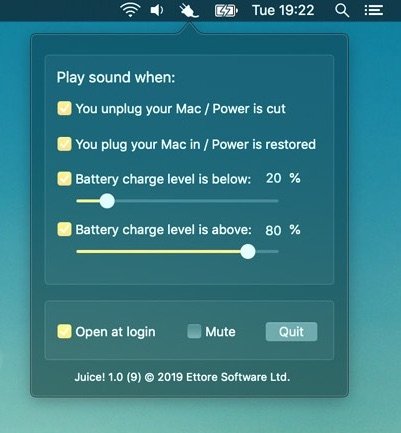
The menu bar app Juice! keeps an eye on your MacBook’s battery charge level and can play a sound when it’s time to plug in or when it’s OK to disconnect from the mains.

Monitor, protect and optimize your Mac’s battery health. Track cycles, capacity and condition, set charging limits, manage low power modes, monitor real time watt usage, receive smart alerts, control clamshell behavior, extend lifespan, and keep all your devices’ battery levels visible at a glance.
Monitor, protect and optimize your Mac’s battery health. Track cycles, capacity and condition, set charging limits, manage low power modes, monitor real time watt usage, receive smart alerts, control clamshell behavior, extend lifespan, and keep all your devices’ battery levels visible at a glance.
The menu bar app Juice! keeps an eye on your MacBook’s battery charge level and can play a sound when it’s time to plug in or when it’s OK to disconnect from the mains.
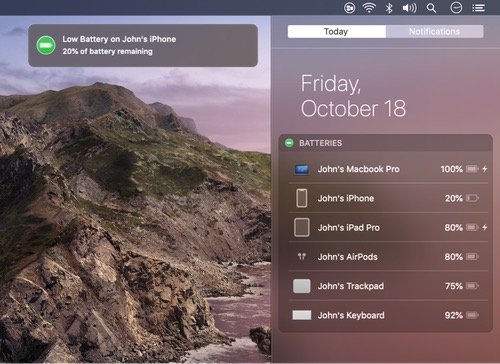
Batteries allows you to track all of your devices’ batteries (your Mac, iPhone/iPad/iPod, AirPods and bluetooth devices) from one place. When any of your devices are running low on battery, you’ll receive a low battery notification.
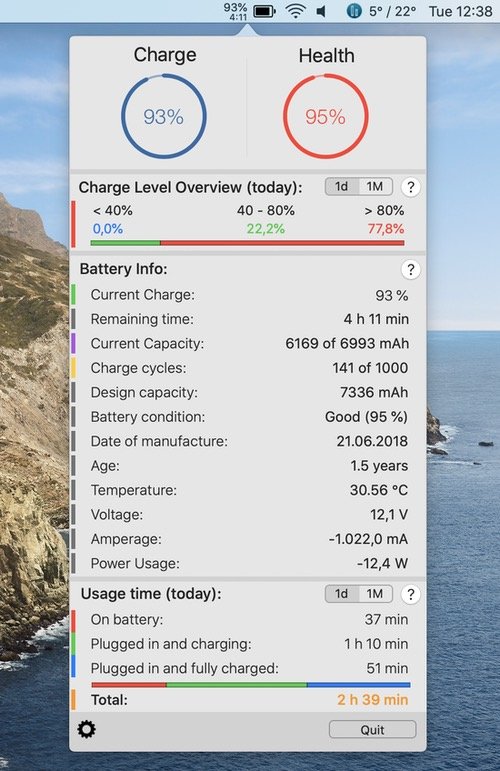
This menu bar app provides information and stats about your MacBook’s battery and records all these data as well as the total battery- and usage time of your notebook.
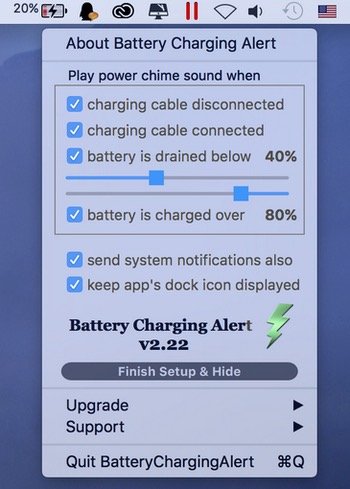
With the menu bar app, you receive an alert when your MacBook is plugged in or unplugged, and when your battery percentage reaches a preset level, so you know when to plug in your computer to keep it from dying or to unplug it and save your battery life.
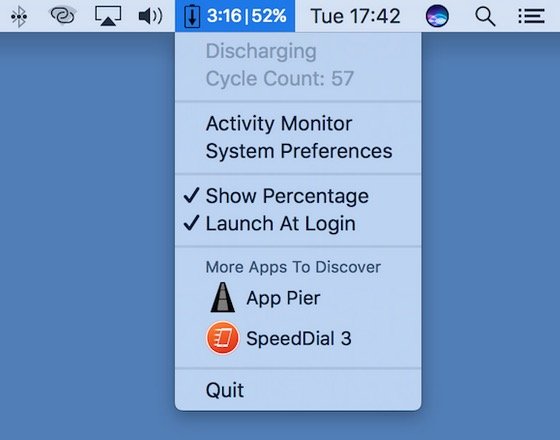
This menu bar app displays the remaining time, charge percentage and battery status at the same time.
End of content
End of content