Collection:
System Stats
Simple Stat Speed
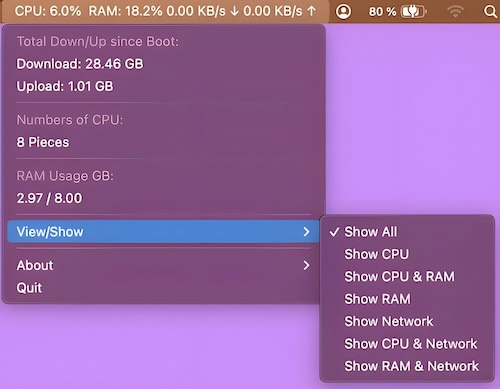
This menu bar app shows the currently used CPU in percent, the used RAM in percent and the download/upload speed.

Understand what your Mac is really doing. Monitor CPU, GPU, memory, disk activity, temperatures, fans, battery health, network performance and per-process usage in real time, directly from your menu bar with clear visuals and detailed diagnostics.
Understand what your Mac is really doing. Monitor CPU, GPU, memory, disk activity, temperatures, fans, battery health, network performance and per-process usage in real time, directly from your menu bar with clear visuals and detailed diagnostics.
This menu bar app shows the currently used CPU in percent, the used RAM in percent and the download/upload speed.
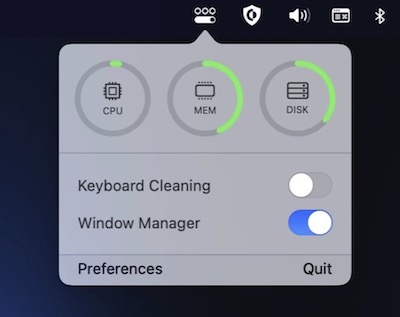
OneMenu is a menubar app featuring system monitoring, a window manager and a keyboard cleaning mode.
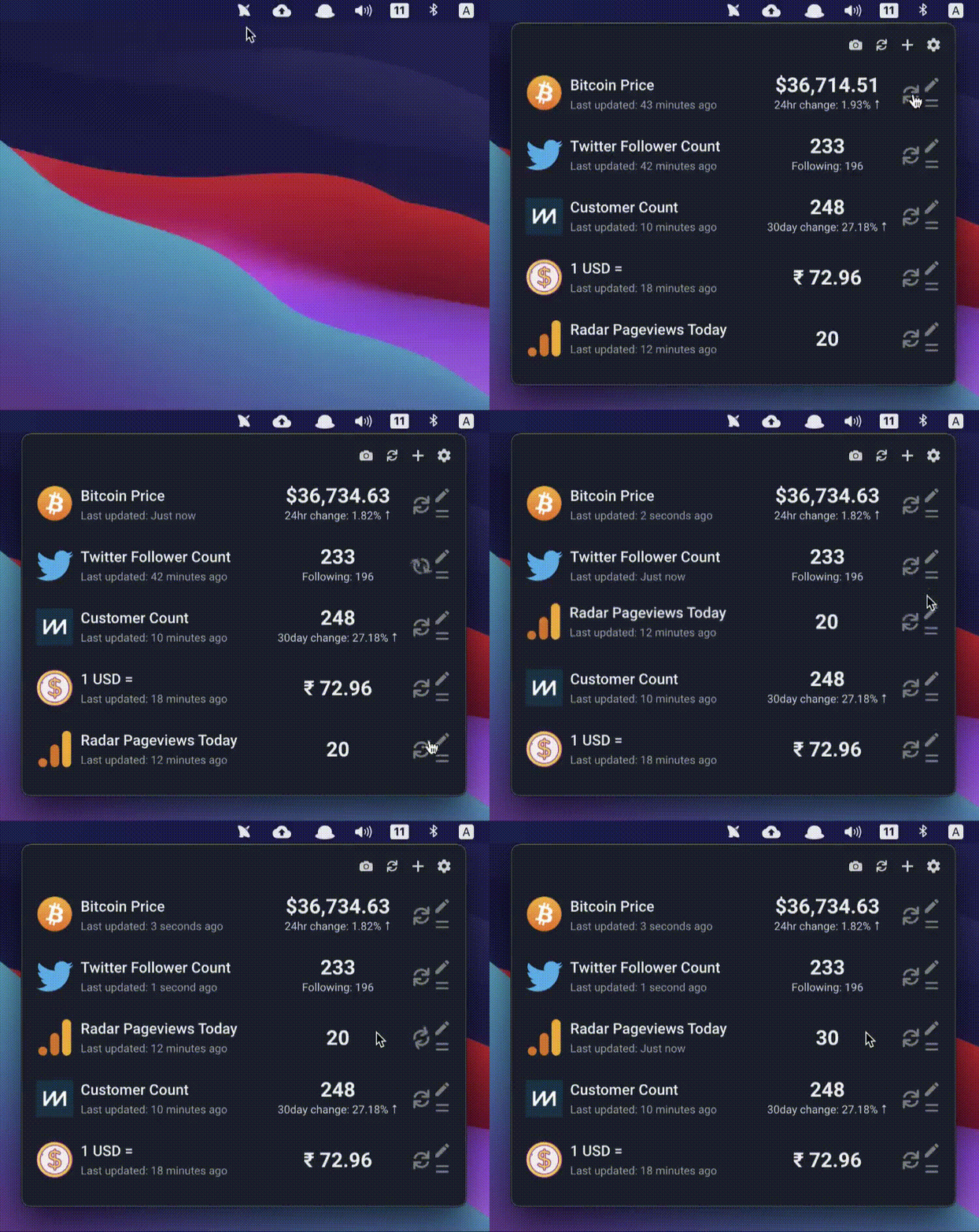
With Radar you can check different metrics from your menu bar. All the things that matter to you in one place.
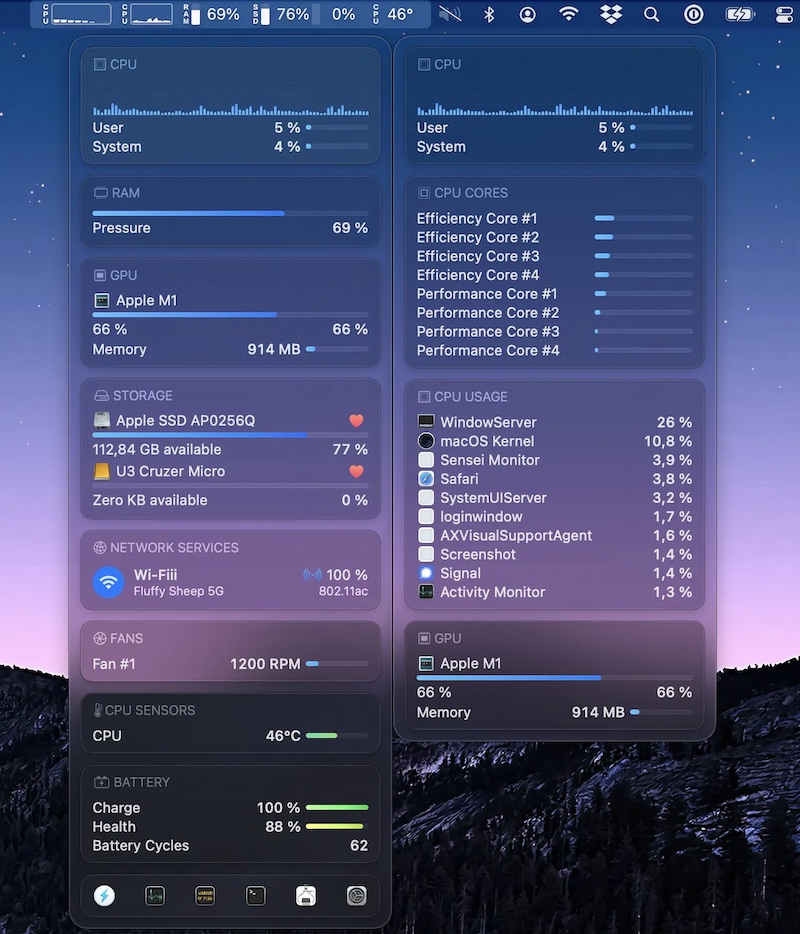
Sensei Monitor is a realtime statistics engine that monitors every aspect of your Mac performance, right from your menu bar. The app is built completely in SwiftUI. Sensei Monitor is included as part of the Sensei app.
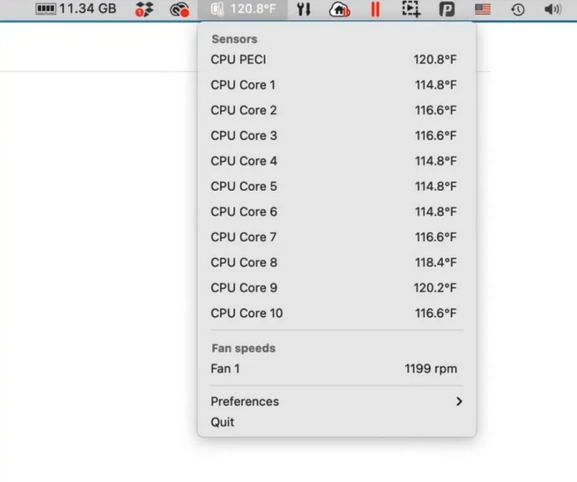
This menu bar app tells you the temperature of each of the CPU cores on your Mac, and also lists the fan speeds cooling off these cores.
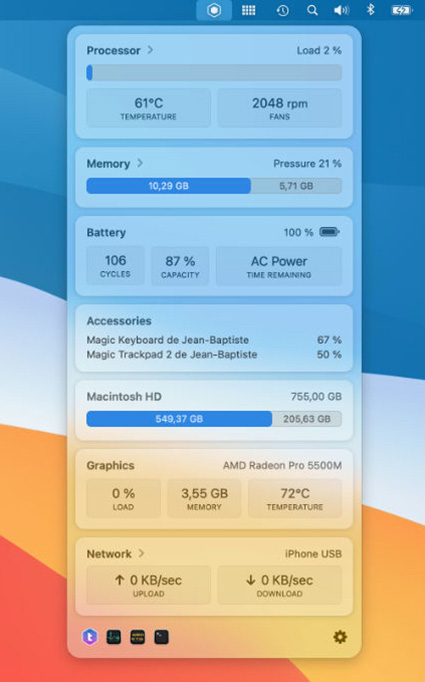
TrashMe 3 helps you clean your Mac to recover space. But it also has a standalone menu bar app to monitor your system activity, like CPU load & temperature, memory usage, battery status, graphic card in use, and network configuration.
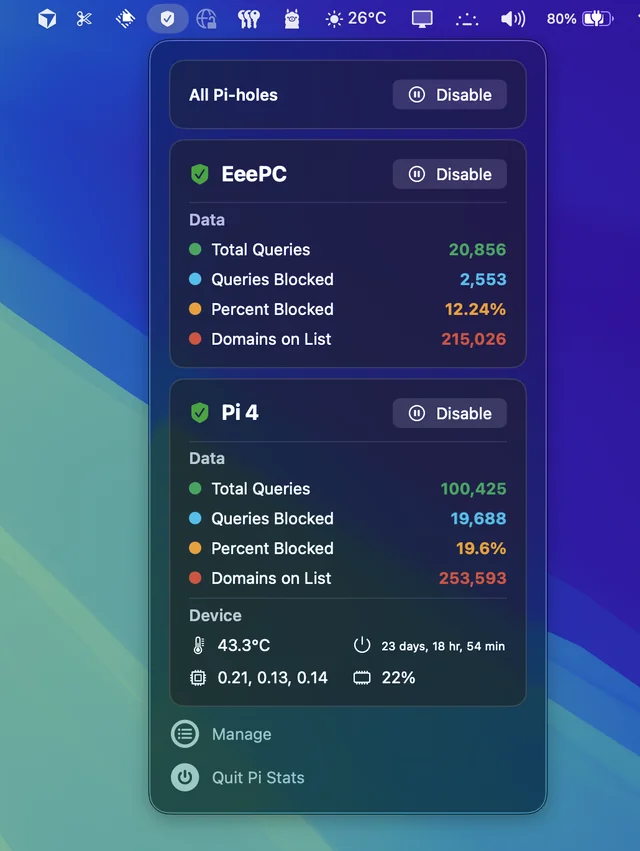
Follow up and manage the status of your Pi-hole(s). Comes in handy when you’re annoyed by having to open up the web interface every time you want to disable pihole.